Migration note, updated August 2026
Google has started moving Local Services Ads into Google Ads as pay-per-lead Performance Max, and the standalone LSA dashboard is being retired in phases. If your account has not migrated yet, the steps below still apply exactly as written. If it has, here is where each control now lives.
| In the old LSA dashboard | In Google Ads after migration |
|---|---|
| The LSA dashboard itself | Redirects to your campaign overview in Google Ads |
| Weekly budget | Daily average budget, your weekly figure divided by 7 |
| A bid or max cost per lead per job type | One campaign-level Target CPA for the whole campaign |
| Lead inbox | Goals, then Conversions, then Leads |
Phase 1 began August 1, 2026. Service-area businesses without a storefront are in the late 2026 wave, and everyone else follows in 2027. Read the full migration breakdown.
Published by Blue Grid Media • March 2026 • 13 min read
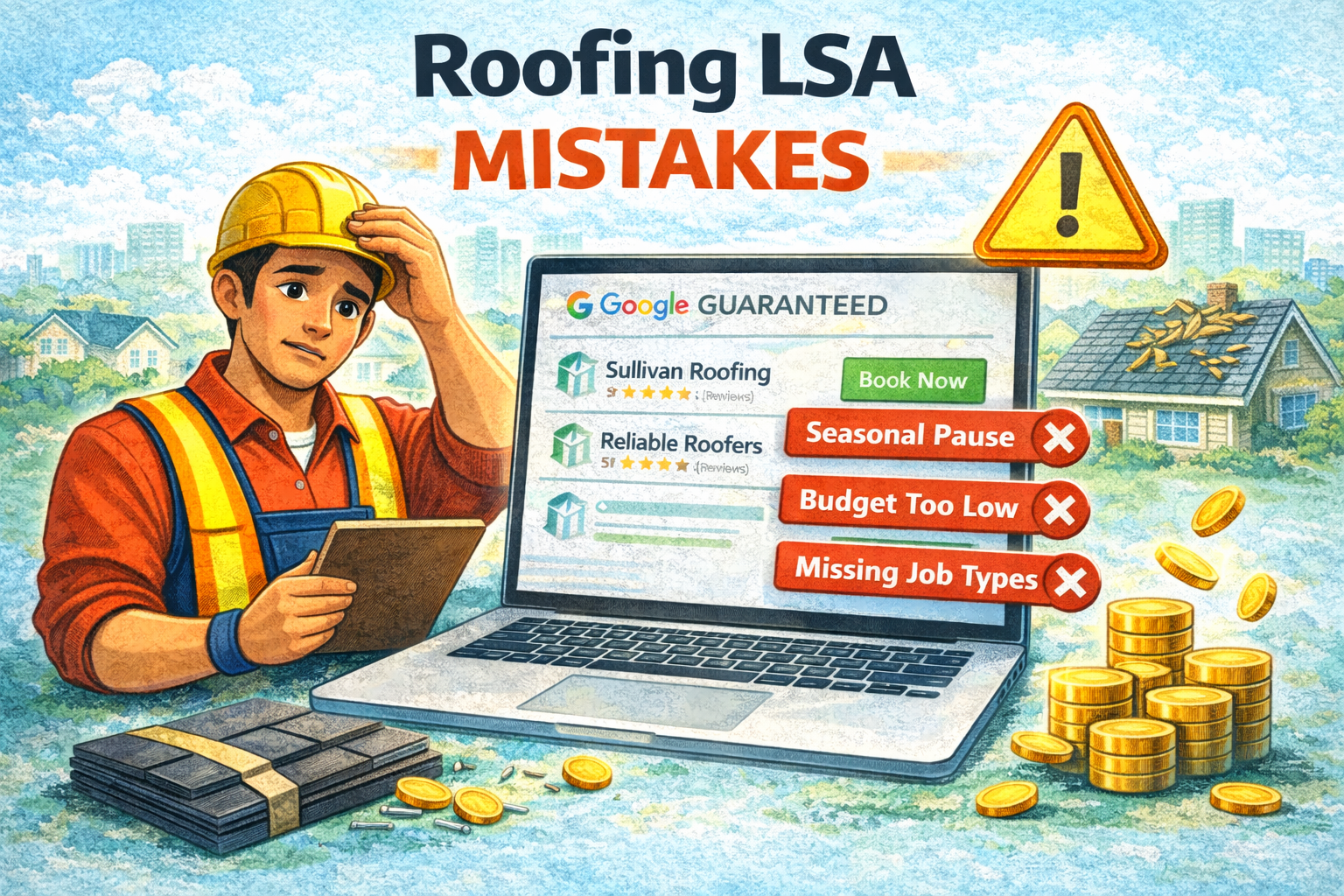
You are losing $8,000-$15,000 replacement jobs to these mistakes right now. Not because your work is bad. Not because your price is wrong. Because the roofing LSA account running in the background has problems that are quietly killing your ranking, your lead volume, and your close rate on the leads that do come in.
We audit roofing LSA accounts constantly. Some belong to one-truck operations. Some belong to regional companies running 20 crews. Across all of them, the same mistakes keep showing up. The seasonal shutdowns. The storm budgets that run dry by Tuesday. The insurance leads that get inspections but never convert to signed contracts. These are not random bad luck. They are fixable system problems.
This guide covers all 12 with severity ratings, what to look for in your account, what is actually causing the problem, and exactly what to do about it. Use the quick reference table as your audit checklist. Check off each mistake once you have addressed it. Your progress saves automatically.
By the Numbers: Roofing LSA Performance Data
Quick Reference: All 12 Mistakes
Work through this table as an audit. Check each box once you have made the fix. Your progress is saved to this browser so you can come back and pick up where you left off.
| # | Mistake | Severity | Time to Fix | Fixed? |
|---|---|---|---|---|
| 1 | Turning off LSA October through April | CRITICAL | 1 day | |
| 2 | No system for handling insurance and adjuster calls | CRITICAL | 2-4 weeks | |
| 3 | Before-only photos, no after shots | MODERATE | Immediate policy change | |
| 4 | Not disputing price-shopping and insurance-paperwork-only leads | MODERATE | Ongoing habit | |
| 5 | Budget too low during storm season | CRITICAL | 30 minutes | |
| 6 | Not enabling flat roof and skylight job types | CRITICAL | 15 minutes | |
| 7 | Wrong service area radius | MODERATE | 30 minutes | |
| 8 | Disconnected Google Business Profile | CRITICAL | 1-2 hours | |
| 9 | No storm event response protocol | CRITICAL | 1-2 hours to set up | |
| 10 | Max Per Lead bid cap set too aggressively | CRITICAL | 30 minutes | |
| 11 | Estimators not trained on the adjuster conversation | CRITICAL | One team training session | |
| 12 | Generic profile bio that doesn't address the storm chaser concern | MODERATE | 20 minutes |
Download This Checklist
Print it, share it with your team, or use it as a reference when auditing your roofing LSA account.
The 12 Mistakes in Detail
Mistake 1: Turning Off LSA October Through April
Diagnosis Signs
No leads from October through April. A slow, sluggish start in March when you turn back on. Competitors you used to outrank are now sitting above you heading into peak season. Your cost per lead is higher in April and May than it was in September because you are rebuilding from a weakened position.
A click cost and a conversion rate give you the lead cost. The free CPA calculator does that step.
Root Cause
The assumption is that roofing is a summer-only business. It is not, at least not entirely. The storm damage market is seasonal, but the planned replacement market is not. Homeowners who want a new roof in spring start researching in December. Freeze-thaw cycles generate real repair volume in November through February across most northern and mid-Atlantic markets. The contractors who turn off in October are abandoning this entire market segment to the competitors who stay on.
The Fix
- Set a minimum winter budget of $175-$250 per week for November through February. This is not a full marketing budget. It is a presence maintenance budget.
- Keep all job types enabled through the off-season. Do not narrow the profile to "only what we get calls on in winter."
- Use winter as your review collection season. Homeowners you helped in fall have more time to leave reviews in January. Every review you collect in winter compounds into your storm-season ranking.
- Set a calendar reminder for March 1 to start ramping budget back up. Do not wait until you "start getting calls." Ramp budget two to three weeks before you expect lead volume to pick up.
Mistake 2: No System for Handling Insurance and Adjuster Calls
Diagnosis Signs
Close rate on post-storm leads is under 25%. You are running a lot of inspections and writing a lot of estimates, but the conversion to signed contracts is low. When you ask your team what happened with a given lead, the answer is usually some version of "we gave them an estimate and they said they'd think about it." Your estimators are not booking the next step. They are dropping off a number and hoping.
Root Cause
Most roofing estimators know how to assess damage and price a job. Very few know how to position themselves as the homeowner's advocate in the insurance claims process. Insurance leads are fundamentally different from cash-pay leads. The homeowner is not just comparing your price. They are overwhelmed by the claims process, nervous about working with a contractor they do not know, and actively skeptical after getting doorbell-rung by five storm chasers this week. Without a clear next step that makes the homeowner's life easier, most of these leads evaporate.
The Fix
- Train every estimator on basic insurance claim language and timeline: what a supplement is, how adjuster visits work, what a scope of damage report contains, and how to explain the process to a nervous homeowner in plain terms.
- Add "We work with all major insurance carriers" to your LSA profile description. Set the expectation before the call even happens.
- On every post-storm inspection, your estimator should offer to schedule the adjuster meeting directly: "When is your adjuster coming out? I'd like to be there to make sure nothing gets missed in the scope." This one conversation step separates contractors who close insurance jobs from contractors who just write estimates for them.
- Follow up two days after the adjuster visit: "Did everything look complete to you? I have a few notes from the inspection I'd like to walk through with you." This is your closing call, not a status check.
Mistake 3: Before-Only Photos With No After Shots
Diagnosis Signs
Open your LSA profile and scroll through your photos. If you see mostly storm damage documentation, stripped decks, hail impacts, and missing shingles, but rarely a finished roof, this is the problem. The photos that rank best in LSA are the ones that show finished work. Damage photos tell homeowners you found the problem. Completion photos tell them you fixed it well.
Root Cause
Photos at the start of a job are natural. You are there, the damage is visible, it is easy to document. End-of-job photos require a crew member to remember to go back, often when they are tired and ready to pack up and leave. Without a formal process that makes final photos a required step before job closeout, they simply do not happen consistently.
The Fix
- Make end-of-job photo documentation a mandatory step in your job completion checklist. No checklist sign-off without photos. This is a policy and operations change, not a suggestion.
- Before-and-after pairs must be shot from the same angle and roughly the same distance. A photo of hail damage on the south slope and a finished photo of the north slope from ground level are not a pair. They mean nothing to a homeowner scrolling your profile.
- Upload within 48 hours of job completion, while the job is still fresh and the photos are on someone's phone. Do not batch upload quarterly.
- Target a minimum of two new before-and-after pairs per month to keep the profile active and fresh.
Mistake 4: Not Disputing Price-Shopping and Insurance-Paperwork-Only Leads
Diagnosis Signs
Your lead volume looks solid in the dashboard but your booking rate is low. A lot of callers say they are "getting a few estimates" and never schedule. Some callers only want a written estimate for their insurance paperwork with no actual intent to hire. You are paying for these leads without questioning whether they are valid charges.
Root Cause
Most roofing companies assume all LSA leads are legitimate charges. They are not. Google's credit system allows disputes for leads that do not meet certain criteria, and the roofing vertical generates a fair number of leads that qualify for credit. The reasons to dispute are well-defined. Most companies just never build the habit of checking.
The Fix
- Set a recurring weekly reminder to review the past week's leads in your LSA dashboard.
- Dispute any lead that falls into these categories: callers who only wanted a written estimate for insurance documentation with no intent to hire; out-of-service-area callers; wrong job type calls (HVAC, siding, gutters that aren't part of your services); duplicate calls from the same number in the same week; callers who hung up immediately or were clearly soliciting your business rather than hiring you.
- File all disputes within 30 days of the lead date. Google does not accept late disputes.
- For each dispute, select the most specific reason available. Vague disputes get rejected more often than specific ones.
Mistake 5: Budget Too Low During Storm Season
Diagnosis Signs
During major storm weeks, your phone stops ringing by Tuesday or Wednesday. Competitors are getting slammed with calls. Your LSA dashboard shows a sharp drop-off in leads mid-week after a significant hail or wind event. Your monthly budget gets consumed in three days and then you are invisible for the rest of the month.
Root Cause
Most roofers set their LSA budget once, based on what a normal week looks like, and never touch it. A baseline budget built for normal conditions is completely unequipped for storm demand. When a major weather event hits, auction prices spike, lead volume surges, and a budget that was covering a full week of normal conditions gets burned through in 72 hours. After that, you are dark while every competitor who sized their budget correctly is answering phones.
The Fix
- Set your baseline storm-season budget (April through September for most markets) at 2x your off-peak minimum. If you run $250 per week in winter, storm-season baseline should be $500 per week.
- When the National Weather Service issues a severe thunderstorm watch or tornado watch for your service area, manually spike your LSA budget to 3x your storm-season baseline that same day. This is time-sensitive. Most of the lead volume surge happens in the first 72 hours after an event.
- Use a weekly cap, not a monthly cap. Monthly caps get exhausted in three days during a major storm week and leave you with nothing for the other 25 days of the month.
- Set a calendar block every Wednesday during storm months (May through August) to check your remaining budget for the week. If you have burned more than 80% by Wednesday, increase the weekly cap before Friday.
Mistake 6: Not Enabling Flat Roof and Skylight Job Types
Diagnosis Signs
You are getting no commercial calls through LSA. You do not get skylight repair or replacement inquiries. Your profile shows up for residential shingle work but nothing else. Log into your LSA job type settings and count how many categories you have enabled. If you are at three to four, you have a serious gap.
Root Cause
During LSA setup, most roofers check the obvious categories: roof repair and roof installation. They complete setup, assume the profile is ready, and never go back to the job type list. The flat roof, skylight, and specialty categories sit there unchecked, making the company invisible to a significant portion of roofing search volume.
The Fix
Go through your LSA job type settings and enable every category you are licensed and equipped to perform. The full roofing checklist:
- Flat or low-slope roof repair
- Flat roof installation
- Skylight repair
- Skylight installation
- Fascia and soffit repair
- Emergency tarp service
- Storm damage assessment
- Gutter installation (if you offer it)
Only enable categories you can actually service. Enabling something you cannot deliver leads to bad reviews and poor close rates, which hurts ranking. But if you do flat roofs, skies, and fascia, turn all of them on today.
Mistake 7: Wrong Service Area Radius
Diagnosis Signs
You are getting calls from 50 or 60 miles out, far beyond what your crews can profitably service after drive time and fuel. Or the opposite: you are missing calls from areas 25-30 miles away that got hammered by a storm last week and are full of homeowners looking for roofers. Either way, your service area was set once and never revisited.
The free contractor hourly rate calculator works out how many hours you can genuinely sell in a year, and what each one has to earn.
Root Cause
Default radius settings or rough approximations during setup rarely match actual profitable service geography. For local market roofers, the default often pulls in too much area, generating unprofitable far-field leads. For storm coverage companies, the radius set for normal operations may not cover the geography of a storm track that ran 30-40 miles outside your usual zone.
The Fix
- For local market roofers focused on residential: tighten your radius to 15-20 miles around your home base. This concentrates your budget on the area you can profitably serve and signals local relevance to Google's algorithm.
- For storm coverage companies: before storm season, expand your radius to cover the full geographic range your crews can mobilize for a major event. After storm season winds down, retract to your normal footprint.
- Before setting any radius, calculate your actual profitable service boundary. Take your average crew drive time threshold (usually 30-45 minutes) and map that against your location. Do not extend the service area beyond where you can get a crew on-site and still make money on the job.
Mistake 8: Disconnected Google Business Profile
Diagnosis Signs
Your ranking is lower than it should be given your review count and active budget. Your LSA profile shows fewer photos than you know you have uploaded. Customer service cannot explain why your visibility is suppressed. Everything looks fine on the surface but something is quietly wrong. The most common silent suppression cause is a disconnected GBP.
Root Cause
GBP connections to LSA break more often than most contractors realize. The disconnect typically happens during a business information update, a GBP category change, an address verification issue, or a Google suspension that got resolved but left the connection broken. When the GBP is disconnected, your reviews do not display properly on your LSA listing, your star rating appears lower than it actually is, and Google treats your profile as incomplete, which suppresses ranking.
The Fix
- In your LSA dashboard, go to your profile settings and verify that your GBP shows as "Connected." If it shows disconnected or does not appear, this is your issue.
- Re-link your GBP through the LSA profile settings. You will need access to both accounts to complete the re-linking process.
- Verify that your primary GBP category is set to "Roofing Contractor," not General Contractor or Home Improvement. The category mismatch between GBP and LSA is a secondary cause of connection instability.
- Confirm your business name, address, and phone number (NAP) match exactly between GBP and LSA. Even minor variations like "St." versus "Street" or a missing suite number can cause verification problems.
Mistake 9: No Storm Event Response Protocol
Diagnosis Signs
After a major hail event, your lead volume triples but your booking rate drops. Lots of calls are going to voicemail. You are missing leads in your LSA dashboard that came in at 7pm and 8pm. Your team is overwhelmed and there is no clear system for who handles what. The storm itself is fine. The response to the storm is chaos.
Root Cause
Most roofing companies do not have a pre-planned storm response system. When the phone starts ringing off the hook after a major event, they rely on whoever is in the office that day. No overflow routing. No updated voicemail. No prioritization of callbacks. The result is a surge of paid leads that convert at a fraction of their potential because the operations side was not ready.
The Fix
- Designate a storm response contact at the office before storm season starts. This person is responsible for call triage when volume surges.
- Set up call overflow to a second line or an answering service for when the primary line is busy. Ruby Receptionists, Patlive, or a local answering service can handle basic intake for $300-$500 per month during storm season. Give them a script: "What is the roofing issue? What is your address? Our team will call you within 2 hours."
- Pre-write your storm voicemail update: "Thank you for calling [Company]. Due to high storm call volume, we are booking inspections through [date]. Please leave your name, address, and best callback number and we will reach you within 2 hours." Update this recording the day a significant storm hits your area.
- Prioritize callbacks within 2 hours for the first three days after a major storm. Speed to response is the single biggest variable in post-storm close rates.
- Extend phone coverage to 9pm for the first three days after a major event. Homeowners get home from work, walk outside, see the damage, and start calling. If you stop answering at 5pm, you miss that entire window.
Mistake 10: Max Per Lead Bid Cap Set Too Aggressively
Diagnosis Signs
During and after major storms, your phone goes quiet while competitor roofers are fielding non-stop calls. Your LSA dashboard shows very few leads during periods when the market should be at peak volume. Your budget is not being spent even though it is set high. The LSA algorithm is simply not showing your listing because it cannot win auctions at your current bid cap.
Root Cause
A Max Per Lead bid cap set based on normal market conditions, typically $75-$80 for roofing, becomes uncompetitive during storm season. When a major hail event hits and every roofer in a 50-mile radius is bidding aggressively for the same pool of leads, auction prices routinely climb to $120-$160 per lead. Your $80 cap means you simply do not compete. Your budget goes unspent, your listing disappears from results, and the leads go to competitors who understood storm-season auction dynamics.
The Fix
- Switch from Max Per Lead mode to Maximize Leads mode starting April 1. In Maximize Leads mode, Google optimizes your bids for volume within your weekly budget. You stop competing on a per-lead basis against aggressive storm-season bidders and let Google's algorithm work with your total budget instead.
- Set a firm weekly budget cap in Maximize Leads mode to control total spend. The weekly cap becomes your spending guardrail instead of the per-lead cap.
- If you prefer to stay in Max Per Lead mode, raise your cap to at least $150-$175 for storm months. The math is straightforward: on a $12,000 average replacement job, a $150 lead is a 1.25% customer acquisition cost. That is well within any reasonable marketing budget.
- Return to Max Per Lead mode in October with a lower cap for the off-season, when auction prices normalize.
Mistake 11: Estimators Not Trained on the Insurance Adjuster Conversation
Diagnosis Signs
You are running inspections but rarely signing contracts on insurance jobs. Close rate on insurance leads is under 20%. When you ask what happened with a given lead, the answer is "they said they'd let us know after they hear from their insurance company." That answer means the estimator left without a next appointment, which means the lead is almost certainly lost to whoever follows up more effectively.
Root Cause
This mistake is different from Mistake 2, which is about the sales system as a whole. This one is specifically about estimator behavior at the inspection. Most estimators are trained to assess damage, provide an accurate quote, and present it to the homeowner. They are almost never trained on the insurance process conversation, which is the variable that actually determines whether an insurance lead converts. When an estimator leaves without booking the adjuster meeting on-site, the homeowner has no clear reason to choose that company over the five others who showed up at their door this week.
The Fix
- Train every estimator on this specific on-site conversation: "I'd like to be present when your adjuster comes out. It helps make sure nothing gets missed in the scope and we can answer any technical questions on the spot. When are they scheduled to come by?"
- Offer to schedule the adjuster meeting for the homeowner during the inspection visit. Most homeowners have not called their adjuster yet. Offering to help with that step, even just giving them the claims number and walking them through what to say, sets your company apart from every other estimate they got that week.
- Never leave an inspection without a next appointment on the calendar. If the adjuster is not scheduled yet, book a follow-up call for two days later: "Let me give you a call Thursday to see if you've connected with your adjuster."
- Follow up within 48 hours of the adjuster visit: "Did everything look complete to you? I have a few line items from my inspection I'd like to walk through with you to make sure you got full value on the scope." This is your closing conversation.
Mistake 12: Generic Profile Bio That Doesn't Address the Storm Chaser Concern
Diagnosis Signs
Your reviews are strong, your budget is active, but your conversion rate from impression to call is lower than it should be. Your LSA profile description reads something like "Licensed roofer serving [city], residential and commercial roofing." It is accurate. It is also completely forgettable, and after a storm, forgettable does not win.
Root Cause
After major storms, homeowners are actively skeptical of any roofing contractor they do not already know. They have been visited by out-of-state storm chasers offering too-good prices, seen social media warnings about contractor scams, and been warned by their neighbors. A generic "licensed roofer" description gives them no reason to trust you over the six other profiles showing up in their search results. Homeowners in post-storm mode are looking for trust signals, not service lists.
The Fix
Rewrite your LSA profile description to include specific trust signals that directly address the storm chaser concern. Your updated description should include:
- Specific years in business with geographic detail. "15+ years serving [neighborhood names]" is worth far more than "locally owned and operated."
- Your license number. Listing it in your description builds immediate credibility. Storm chasers from out of state often cannot do this.
- Insurance claims expertise. Include a line like "We work with all major insurance carriers and can attend your adjuster meeting to make sure the scope is complete."
- One specific differentiator that is verifiable. "Over 400 five-star reviews from homeowners in [city]" is something a storm chaser cannot claim. Use it.
Which Mistakes to Fix First
If you found multiple issues in your account, tackle them in this order. The critical mistakes have the biggest ranking and revenue impact. Fix those first before optimizing anything else.
| Priority | Action | Why First |
|---|---|---|
| 1 | Reconnect GBP if disconnected (Mistake 8) | Silent suppressor that affects every other optimization |
| 2 | Fix Max Per Lead cap or switch to Maximize Leads (Mistake 10) | Invisible during storms if this is wrong; immediate impact |
| 3 | Enable all missing job types (Mistake 6) | Ranking signal and search coverage; 15-minute fix |
| 4 | Adjust storm-season budget caps (Mistake 5) | Structural spend problem that compounds every storm week |
| 5 | Build storm response protocol (Mistake 9) | Leads you already paid for are converting at half their potential |
| 6 | Train estimators on adjuster conversation (Mistake 11) | Biggest close rate lever on insurance leads |
| 7 | Set winter minimum budget to prevent seasonal shutdown (Mistake 1) | Prevention; cannot undo lost ranking after the fact |
| 8 | Update profile bio with trust signals (Mistake 12) | Conversion rate improvement; 20-minute fix |
| 9 | Build weekly dispute habit (Mistake 4) | Ongoing cost recovery; compounds over months |
| 10 | Adjust service area radius (Mistake 7) | Profitability of incoming leads; varies by company type |
| 11 | Implement insurance and adjuster call system (Mistake 2) | Close rate improvement; requires team training |
| 12 | Implement before-and-after photo policy (Mistake 3) | Profile quality improvement; builds over time |
Roofing LSA Mistakes FAQs
Should roofing companies pause their LSA budget in winter?
No. Pausing LSA in winter is one of the most damaging mistakes a roofer can make. The planned replacement market runs year-round, and freeze-thaw damage calls are consistent from November through March in most markets. More importantly, going dark in winter destroys the ranking signal you built all summer. When you restart in April, you are starting from scratch, not where you left off. Set a minimum budget of $175-$250 per week through the off-season to maintain presence and ranking continuity.
What is the biggest roofing LSA mistake during storm season?
The two biggest storm-season mistakes are a Max Per Lead bid cap set too low and no storm response protocol for handling the call surge. After a major hail event, lead volume can triple in 48 hours. If your cap was set at $80 for normal conditions, storm auction prices of $120-$160 will shut you out completely. Switch to Maximize Leads mode in spring and build your storm response plan before any storms hit, including call overflow coverage, a voicemail update script, and 2-hour callback priority.
How do I dispute price-shopping and insurance-paperwork-only calls on roofing LSA?
Go to your LSA dashboard, open Lead Management, and rate the lead as "Not a good lead" with a specific reason. Valid dispute reasons for roofing include: caller only wanted a written estimate for insurance documentation with no intent to hire, caller was outside your service area, wrong job type, duplicate call from the same number, and caller hung up immediately or was clearly soliciting. Most roofing companies save $250-$600 per month in wasted spend once they build a weekly dispute habit. File disputes within 30 days of the lead date. For a full walkthrough of the dispute process, see Why LSA Leads Get Disputed.
How do I close more insurance jobs from LSA leads?
Train your estimators on one key behavior: never leave the inspection without booking the adjuster meeting. The script is simple: "I'd like to be present when your adjuster comes out to make sure nothing gets missed in the scope. When are they scheduled?" Companies that offer to attend or schedule the adjuster visit close insurance leads at 40-50%. Companies that drop off an estimate and leave close the same leads at under 20%. Also add "We work with all major insurance carriers" to your LSA profile description to set expectations before the call.
What job types should a roofing contractor enable on LSA?
Enable every job type you are licensed and equipped to perform. The full roofing checklist includes: roof repair, roof installation, flat and low-slope roof repair, flat roof installation, skylight repair, skylight installation, fascia and soffit repair, emergency tarp service, storm damage assessment, and gutter installation. Missing flat roof and skylight categories alone makes you invisible to 20-25% of commercial and mixed-use roofing searches. Most roofers leave their profile at three to four job types from initial setup and never revisit it.
See the real numbers for your trade
Plug in your industry, budget, and close rate. Our calculator shows your projected leads, cost per booked job, and ROAS.
More for roofing operators
Pair this with the rest of the roofing operator series. Each guide tackles a different angle on growing a roofing company through paid search: