
Direct answer: Contractors run Google Ads through a 3-to-4-campaign structure separated by intent and ticket value: Emergency repair (CPC $18-$55 depending on trade, close rates 65-85 percent), high-ticket installation or replacement (CPC $18-$72, tickets $1,800-$45,000+), maintenance and general service (CPC $6-$22, volume-driver), and brand-authorized for dealers (Carrier, Trane, Lennox, LiftMaster, Generac, Kohler, Whirlpool, etc.) with CPC $12-$50 and close rates 30-50 percent higher than generic equivalents. Two trades (garage door repair and locksmith services) require Google's Advanced Verification before launching. Done right, contractor CPL runs $40-$120 with cost per booked job between $100 and $1,500 depending on ticket size. Done wrong, the same searches produce $150-$400 CPLs and an account that burns budget without booking jobs. This guide walks through the trade-specific numbers, the Advanced Verification process for the two restricted trades, the seasonal bid pacing that varies by trade, and the campaign structure that consistently outperforms set-and-forget approaches.
You tried Google Ads before and it burned through $2,000 with nothing to show for it. Or you are thinking about it but the horror stories from other contractors keep you from pulling the trigger. Both situations come from the same problem: contractor Google Ads campaigns fail because they are built like generic ecommerce campaigns instead of being built for how home service businesses actually get jobs.
This guide is the playbook your agency should have given you. Real cost-per-click numbers by trade (HVAC, plumbing, roofing, electrical, garage door, appliance repair, locksmith, pest control, carpet cleaning, landscaping), the campaign structure that works for service businesses, the Advanced Verification process for restricted trades, the seasonal patterns by trade, and the week-by-week action plan for your first month. No theory. No fluff. Just the operational detail we measure across the 80+ managed contractor accounts in our portfolio.
If you are weighing Google Ads against Local Services Ads, read our Google Ads vs LSA for contractors comparison first. They are different channels that serve different purposes, and most successful contractors run both.
What does Google Ads actually do for contractors?
Google Ads puts your business at the top of Google search results when someone searches for a service you offer. You pay per click, not per impression. When a homeowner in your city searches "AC repair near me" or "emergency plumber," your ad shows above the organic results with your phone number, a link to your website, and a call button.
Unlike Local Services Ads (which show at the very top with your star rating and a pay-per-lead model), Google Ads gives you full control over your messaging, landing pages, and targeting. You choose the exact keywords you appear for, the geographic radius, the time of day, and the device type.
That control is both the advantage and the risk. Set it up right and you get a steady stream of calls from people actively looking for your services. Set it up wrong and you pay $30 per click for someone who wanted a YouTube video on DIY drain cleaning.
How does the Google Ads auction actually work (and why does it matter)?
Every time someone searches a keyword you are bidding on, Google runs an instant auction. Your ad competes against every other advertiser targeting that keyword in your area. But the winner is not just the highest bidder.
Google uses a formula called Ad Rank to decide who shows up first:
Ad Rank = Your Bid x Quality Score x Expected Impact of Ad Extensions
This means a contractor with a $15 bid and a Quality Score of 9 outranks a competitor bidding $25 with a Quality Score of 4. Google rewards relevance because relevant ads make Google more money long-term (people keep clicking relevant results).
Two things you control directly: your bid amount and your Quality Score. Quality Score is the leverage point most contractors ignore entirely. We cover it in detail in the Quality Score section below.
What keyword strategy actually works for contractor Google Ads?
Keywords are where most contractor campaigns go wrong in the first week. The default approach of bidding on broad terms like "plumber" or "HVAC" is the fastest way to burn through budget on irrelevant clicks.
Match Types: What They Mean for Your Budget
| Match Type | Example | What It Matches | Best For |
|---|---|---|---|
| Exact Match | [ac repair near me] | That exact search or very close variants | Proven high-intent keywords you know convert |
| Phrase Match | "ac repair" | Searches containing that phrase in order | Discovering new keyword variations while controlling relevance |
| Broad Match | ac repair | Anything Google considers related | Only with Smart Bidding after 30+ conversions. Never at launch. |
High-Intent vs. Low-Intent Keywords
Not all keywords are worth bidding on. A homeowner searching "ac repair cost" might be researching. A homeowner searching "ac repair near me today" is picking up the phone in the next 10 minutes. Here is how to tell the difference:
High-intent (bid aggressively): "emergency plumber near me," "ac repair same day," "roof leak repair [city]," "electrician near me now," "water heater replacement [city]"
Low-intent (bid conservatively or skip): "how much does ac repair cost," "plumbing tips," "best roofing materials," "electrical wiring diagrams"
Start with 15 to 25 high-intent keywords in exact and phrase match. Do not add broad match until you have 30+ conversions in your account and have switched to a Smart Bidding strategy.
Negative Keywords: The Budget Saver Nobody Uses
Negative keywords prevent your ads from showing for searches that will never convert. Every contractor campaign needs a negative keyword list from day one.
Universal negative keywords for contractors:
- DIY, how to, tutorial, video, YouTube
- jobs, hiring, salary, career, apprentice
- free, cheap, discount, coupon
- schools, classes, certification, license
- reviews, complaints, lawsuit, BBB
- tools, parts, wholesale, supply house
Check your Search Terms report weekly for the first 60 days. You will find 5 to 15 new negative keywords per week that are eating budget. After 60 days, check bi-weekly.
What are the real Google Ads CPC benchmarks by contractor trade in 2026?
These are actual cost-per-click ranges based on campaigns across dozens of markets. Your specific CPC depends on your metro area, competition level, and Quality Score, but these ranges give you a realistic baseline for budgeting.
You can back into the clicks a budget buys with the free CPC calculator.
| Trade | Average CPC | Emergency CPC | Typical CPL | Notes |
|---|---|---|---|---|
| HVAC | $12-$35 | $25-$55 | $45-$75 | AC repair keywords peak in June-August. Heating peaks Nov-Jan. |
| Plumbing | $15-$45 | $30-$65 | $50-$90 | Emergency keywords are the most expensive in all of PPC for contractors. |
| Roofing | $10-$30 | $20-$45 | $40-$70 | Storm damage keywords spike 200-400% after major weather events. |
| Electrical | $8-$25 | $18-$40 | $35-$65 | Panel upgrade and generator keywords have the highest ticket value. |
| Landscaping | $5-$18 | N/A | $25-$50 | Lowest CPCs. Seasonal demand peaks March-May. |
| Garage Door | $10-$28 | $22-$50 | $40-$80 | High conversion rate because most searches are immediate-need. |
How to use these numbers: If your CPC is significantly above these ranges, your Quality Score is likely low (under 5). If your CPL is above these ranges but your CPC is normal, your landing page conversion rate is the problem.
How much should contractors spend on Google Ads by trade?
The minimum budget question is the most common one we hear. The honest answer: you need enough budget to generate at least 100 to 150 clicks per month, which gives you enough data to optimize. Below that threshold, you are guessing.
| Trade | Minimum Monthly | Recommended Monthly | Expected Leads/Month |
|---|---|---|---|
| HVAC | $1,500 | $3,000-$5,000 | 40-110 |
| Plumbing | $2,000 | $3,500-$6,000 | 40-120 |
| Roofing | $1,500 | $2,500-$5,000 | 35-125 |
| Electrical | $1,200 | $2,000-$4,000 | 30-115 |
| Landscaping | $800 | $1,500-$3,000 | 30-120 |
These numbers assume you are running in a single metro area. Multi-location contractors should multiply by the number of markets, though you can often run 2 to 3 adjacent cities from one campaign with geographic bid adjustments.
Start at the minimum for your trade. Run for 30 days. If your cost per lead is within the benchmarks above and your booking rate is over 20%, scale up in 25% increments every 2 weeks.
Why does your competitor rank above you in Google Ads?
Your competitor is not outranking you because they bid more. They are outranking you because their Quality Score is higher. Quality Score is Google's 1-to-10 rating of how relevant and useful your ad and landing page are to the searcher.
The Three Components of Quality Score
- Expected Click-Through Rate (CTR): Google predicts how likely people are to click your ad based on historical performance. Higher CTR = higher score.
- Ad Relevance: How closely your ad copy matches the keyword someone searched. If they search "AC repair Dallas" and your ad says "HVAC services," that is a relevance mismatch.
- Landing Page Experience: How relevant, fast, and useful your landing page is. A generic homepage gets a low score. A dedicated "AC Repair in Dallas" page with a phone number, reviews, and service details gets a high score.
How Quality Score Saves You Money
| Quality Score | CPC Adjustment | What It Means |
|---|---|---|
| 10 | -50% discount | You pay half what a QS-5 advertiser pays for the same position |
| 7-8 | -15 to -30% | Solid. You are paying less than most competitors |
| 5-6 | Baseline | Average. No discount, no penalty |
| 3-4 | +25 to +50% | You are overpaying. Fix ad relevance and landing pages |
| 1-2 | +100 to +400% | You are paying 2x to 5x more than you should. Pause and rebuild. |
A contractor with Quality Score 8 pays roughly $18 per click for the same position where a Quality Score 4 competitor pays $35. Over a month of 200 clicks, that is $3,400 in savings. This is the single biggest lever in your Google Ads account.
How to Raise Your Quality Score
- Create ad groups with 5 to 10 tightly themed keywords (not 50 keywords dumped in one group)
- Write ad copy that includes the exact keyword in the headline
- Build dedicated landing pages for each service category (AC repair, furnace repair, duct cleaning, each gets its own page)
- Make your landing page fast (under 3 seconds load time)
- Include your phone number, reviews, and a clear call-to-action above the fold
How should contractors structure Google Ads campaigns?
The campaign structure is where most DIY contractor campaigns fall apart. A single campaign with 100 keywords in one ad group is the default mistake. Here is the structure that actually works:

Step 1: Create One Campaign Per Service Category
If you are an HVAC company, you need separate campaigns for cooling, heating, and maintenance. Each campaign gets its own daily budget so you can allocate more to your highest-margin services.
Step 2: Create Tightly Themed Ad Groups
Each ad group should contain 5 to 10 keywords that share the same intent. For an HVAC cooling campaign, your ad groups might be: AC Repair, AC Installation, AC Maintenance, Emergency AC.
Step 3: Write Ads That Match Each Ad Group
Your ad headlines must include the keywords from that ad group. The "AC Repair" ad group gets ads with "AC Repair" in the headline, not generic "HVAC Services" copy.
Step 4: Build Matching Landing Pages
Each ad group points to a landing page specific to that service. Your AC Repair ads go to an AC Repair page, not your homepage. This is non-negotiable for Quality Score.
Step 5: Add Ad Extensions
- Call extensions: Add your phone number. This adds a click-to-call button on mobile.
- Sitelink extensions: Link to your reviews page, service areas, pricing, and "about us."
- Callout extensions: Add phrases like "Licensed & Insured," "Same-Day Service," "Free Estimates," "24/7 Emergency."
- Location extensions: Connect your Google Business Profile to show your address.
- Structured snippets: List service types: "Services: AC Repair, Furnace Repair, Duct Cleaning, Heat Pump Install."
Ad extensions increase your ad's visual footprint on the page and improve your Quality Score. There is no reason not to use all of them.
Step 6: Set Your Bid Strategy
Start with Manual CPC or Maximize Clicks (with a bid cap) for the first 30 days. Do not use Smart Bidding (Target CPA, Maximize Conversions) until you have at least 15 to 30 conversions in the account. Smart Bidding needs data to work. Without enough conversions, it makes bad decisions.
Once your Search campaigns are generating 30+ leads per month, you can explore Google's newer AI-driven campaign type. Our Performance Max for Contractors guide covers when PMax makes sense for home service businesses, how to set up asset groups and audience signals, and how to prevent it from cannibalizing your existing Search campaigns.
What ad copy frameworks actually get contractors more calls?
Google gives you 15 headlines (30 characters each) and 4 descriptions (90 characters each) in Responsive Search Ads. You do not need to fill all 15 headlines, but you need at least 8 to 10 strong ones.
The Contractor Ad Copy Formula
Headline 1: [Service] in [City] (e.g., "AC Repair in Dallas")
Headline 2: [Urgency/Benefit] (e.g., "Same-Day Service Available")
Headline 3: [Trust signal] (e.g., "Licensed, Insured, 4.8 Stars")
Headline 4: [Offer/CTA] (e.g., "Call Now for Free Estimate")
Headline 5: [Differentiator] (e.g., "20+ Years Serving DFW")
Description 1: "[City]'s trusted [trade] company. [X]+ 5-star reviews. Fast response, fair pricing, guaranteed work. Call today."
Description 2: "Licensed and insured. Free estimates on all [service]. Available 7 days a week including evenings and weekends."
What Wins Clicks for Contractors
- "Same day" or "today" in headlines increases CTR 15 to 25% for emergency services
- Star ratings in copy ("4.8 Stars, 200+ Reviews") build instant trust
- Specific numbers beat vague claims ("20 Years Experience" beats "Experienced Company")
- "Free estimate" still works as a CTA for non-emergency services
- City name in Headline 1 boosts relevance score and CTR
What landing page architecture works for contractor Google Ads?
If you are sending Google Ads traffic to your homepage, you are wasting 40 to 60% of your clicks. Your homepage serves 10 purposes. A landing page serves one: getting the visitor to call you or fill out a form for that specific service.
Contractor Landing Page Checklist
- Phone number above the fold (clickable on mobile). This is non-negotiable.
- Headline matches the ad. If the ad says "AC Repair in Dallas," the landing page headline must say "AC Repair in Dallas," not "Welcome to ABC HVAC."
- Service description in 2 to 3 sentences. What you do, for whom, and why they should choose you.
- 3 to 5 Google reviews embedded or displayed as testimonials with names and star ratings.
- Contact form with 3 to 4 fields max (name, phone, service needed, optional message).
- Trust signals: license number, insurance badge, BBB, Google Verified badge, years in business.
- Service area: List the specific cities and neighborhoods you cover.
- No navigation menu. Remove or minimize your site navigation on landing pages. You want them to call, not browse.
Every element on the page should push toward one action: calling you. If an element does not contribute to that goal, remove it.
How should contractors set up call tracking for Google Ads?
"I can't tell what's working" is the most common complaint from contractors running Google Ads. The solution is call tracking, and it takes about 20 minutes to set up.
What Call Tracking Does
Call tracking assigns a unique phone number to your Google Ads that forwards to your real business line. When someone calls that number, you know the call came from Google Ads. You can see which keyword triggered the ad, which ad they clicked, and which landing page they were on.
Setup Options
- Google Ads call extensions: Free, built into Google Ads. Tracks calls made directly from the ad (not calls from your landing page).
- Google forwarding numbers: Free. Replaces your phone number on the landing page with a Google tracking number. Tracks both ad calls and landing page calls.
- Third-party tools (CallRail, CallTrackingMetrics): $45 to $150/month. More detailed analytics, call recording, and multi-channel attribution. Worth it once you spend over $2,000/month.
At minimum, enable Google Ads call extensions and set up a Google forwarding number on your landing pages. This gives you basic call-to-conversion tracking at zero extra cost.
What to Track
- Calls over 60 seconds as your primary conversion metric (short calls are usually not real leads)
- Form submissions as a secondary conversion
- Cost per conversion (total spend / total conversions)
- Conversion rate (conversions / clicks)
If you use ServiceTitan, Housecall Pro, or Jobber, you can go further and connect your CRM so actual closed job revenue flows back to Google as a conversion signal. This trains Smart Bidding on real revenue instead of raw call volume. Our Contractor CRM to Google Ads attribution guide covers the full setup for each platform, including GCLID capture, Dynamic Number Insertion, and offline conversion imports.
When should contractors run Google Ads and when should they pause?
Most contractor Google Ads run 24/7 by default. This means you pay for clicks at 2 AM when nobody is answering your phone. Dayparting lets you schedule your ads to run only during hours when you can actually take the call.
Recommended Schedules by Trade
| Trade | Recommended Hours | Peak Hours | Why |
|---|---|---|---|
| HVAC | 6 AM - 10 PM | 7-11 AM, 4-8 PM | Homeowners notice issues in morning (no AC overnight) and evening (coming home from work). |
| Plumbing | 24/7 if you offer emergency | 7-10 AM, 5-9 PM | Plumbing emergencies happen anytime. If you have after-hours coverage, run 24/7. |
| Roofing | 7 AM - 7 PM | 8-11 AM | Homeowners search after noticing a leak overnight or after storms. Non-emergency service. |
| Electrical | 7 AM - 9 PM | 8-11 AM, 5-8 PM | Similar to HVAC. Issues noticed morning and evening. |
How to Set Up Dayparting
In your Google Ads campaign settings, go to "Ad Schedule." Create a custom schedule for each day of the week. You can also set bid adjustments by time period. For example, increase bids by 20% during your peak hours and decrease by 30% during slow periods.
Critical rule: Never run ads during hours when nobody can answer the phone. If a homeowner clicks your ad at 11 PM, calls your number, and gets voicemail, you just paid $25 for nothing. Worse, Google counts the click but not the conversion, which hurts your account's performance signals.
Which contractor trades require Google's Advanced Verification?
Two contractor trades require Google's Advanced Verification before Google Ads campaigns can launch cleanly: garage door repair services and locksmith services (both US-restricted). The policy is documented in Google's Restricted Businesses: Local Services policy: "Ads for locksmith services and garage door repair services are restricted. To advertise, you must apply for advanced verification."
This restriction traces back to consumer protection action in the early 2010s when bait-and-switch operators in these two trades generated enough complaints that Google added them to the restricted category alongside locksmith services in non-US markets. The verification process typically takes 2 to 6 weeks and requires: active business license, general liability insurance ($300,000 to $1,000,000+ coverage depending on jurisdiction), workers compensation where required by state law, background check on business owner(s) through Pinkerton or Evident ID, background checks on field technicians, proof of business address, and vehicle registration for service vehicles.
The practical playbook for garage door and locksmith contractors: complete Google Ads advanced verification before launching search campaigns. Use the 2 to 6 week verification waiting period to build out negative keyword lists, landing pages, brand-authorized credentials (LiftMaster, Genie, Clopay for garage door; or your locksmith brand affiliations), and your conversion tracking stack. When verification approves, you launch a clean account with full policy compliance. For the full breakdown, see our Google Ads for Garage Door Companies and Google Ads for Locksmiths playbooks.
All other contractor trades (HVAC, plumbing, electrical, roofing, appliance repair, pest control, landscaping, carpet cleaning, painting, general contracting) do not require Advanced Verification for Google Ads search campaigns. Google Local Services Ads has its own separate verification (Google Verified, formerly Google Guaranteed) which applies to LSA only, not Google Ads search.
What does the Google Ads framework look like by contractor trade?
Each trade has specific keyword patterns, seasonal demand curves, and budget considerations. The 10 contractor trades we have managed across our portfolio break down as follows. Where each subsection ends, the full trade-specific playbook deep dive is linked.
HVAC Contractors
- Campaign split: Emergency repair, install/replacement, maintenance/IAQ, factory-authorized (Carrier FAD, Trane Comfort Specialist, Lennox Premier, Bryant, Rheem)
- Seasonal budget: 50-80 percent budget bump June-August for cooling, 40-70 percent bump December-February for heating
- CPC range: $18-$48 emergency, $18-$48 install, $8-$28 maintenance
- Top keywords: "ac repair near me," "furnace not working," "hvac company [city]," "ac installation [city]"
- Highest ticket: System replacement keywords ($5,500-$15,000 average ticket)
- Full playbook: Google Ads for HVAC Companies
Plumbing Contractors
- Campaign split: Emergency (burst, water heater, sewer backup), water heater (replacement, install, tankless), general service (drain, toilet, fixture), brand-authorized (Rinnai PRO, Navien, Kohler Service Pro, Moen, Delta)
- CPC range: Emergency $25-$45, water heater $18-$38, general service $6-$20
- Highest close rate: Emergency burst pipe keywords (70-85 percent)
- Top keywords: "emergency plumber near me," "water heater replacement [city]," "drain cleaning [city]"
- Key negative: Add "snake rental," "plunger," "plumbing jobs hiring" to negatives
- Full playbook: Google Ads for Plumbers
Roofing Contractors
- Campaign split: Emergency leak, replacement/install (asphalt, metal, tile), storm/insurance (paused; activate post-event within 24 hours), factory-authorized (GAF Master Elite, Owens Corning Platinum Preferred, CertainTeed SELECT ShingleMaster)
- Seasonal budget: Increase 50-100 percent after major storms within 24 hours of event
- CPC range: $22-$80 depending on intent bucket
- Top keywords: "roof repair near me," "roofing company [city]," "storm damage roof repair," "roof replacement cost [city]"
- Key difference: Replacement leads take 2 to 4 weeks to close. Set up remarketing.
- Full playbook: Google Ads for Roofers
Electrical Contractors
- Campaign split: Emergency (no power, sparks, burning smell), high-ticket install (panel upgrade, EV charger, generator, battery backup), general service (outlets, switches, fixtures), brand-authorized (Generac PowerPro Premier, Tesla Certified, ChargePoint, Enphase)
- CPC range: Emergency $28-$55, high-ticket $22-$58, general service $8-$22
- Opportunity: Generator and EV charger keywords have low-to-moderate competition with high ticket values ($3,500-$28,000)
- Top keywords: "electrician near me," "panel upgrade [city]," "generator installation [city]," "EV charger install [city]"
- Full playbook: Google Ads for Electricians
Garage Door Contractors (Advanced Verification required)
- Campaign split: Emergency repair (spring, opener, cable), new door install, commercial rolling steel, brand-authorized (LiftMaster, Genie, Chamberlain, Wayne Dalton, Clopay Master Authorized Dealer)
- CPC range: Emergency $11-$32, install $18-$45, commercial $25-$50
- Highest close rate: Emergency spring/opener repair (75-88 percent) because the searcher cannot leave the property
- Critical first step: Complete Google Advanced Verification before campaign launch
- Full playbook: Google Ads for Garage Door Companies
Appliance Repair Contractors
- Campaign split: Refrigerator-specific (highest priority), grouped washer/dryer/dishwasher/oven, brand-authorized (Whirlpool ServiceMatters, GE Factory Service, Samsung Authorized, LG Premier Service)
- CPC range: $8-$28 depending on appliance type
- Key dynamic: Repair-vs-replace decision shapes every ad and landing page
- Full playbook: Google Ads for Appliance Repair
Locksmith Contractors (Advanced Verification required)
- Campaign split: Emergency lockout (24/7 call-only ads), automotive lockout, commercial security, residential rekey/install
- CPC range: $12-$45 depending on intent
- Critical first step: Complete Google Advanced Verification before campaign launch (locksmith services are restricted in US, Canada, Spain, Netherlands, Germany, Sweden, and Belgium per Google policy)
- Full playbook: Google Ads for Locksmiths
Pest Control Contractors
- Campaign split: General pest (ants, spiders, roaches), specialty (termites, bedbugs, mosquito), commercial
- CPC range: $12-$35 depending on pest type
- Recurring opportunity: Convert one-time service into annual maintenance plan for 3-5x LTV
- Full playbook: Google Ads for Pest Control
Carpet Cleaning Contractors
- Campaign split: Residential (carpet, upholstery, tile-grout), commercial (offices, retail, move-in/out), specialty (pet stain, water damage)
- CPC range: $8-$22
- Key lever: Upsell ticket from $150-$200 single-room to $400-$800 whole-house through landing page room calculator
- Full playbook: Google Ads for Carpet Cleaning
Landscaping Contractors
- Campaign split: Maintenance (mowing, cleanup), design/install (hardscaping, patio, retaining wall), seasonal (spring cleanup, fall cleanup, snow removal)
- Seasonal budget: 3x budget March-May (spring rush). Consider pausing December-February unless you offer snow removal.
- Top keywords: "landscaping company near me," "patio installation [city]," "lawn care [city]," "hardscaping [city]"
- Key difference: Recurring maintenance clients have the best lifetime value. Track which keywords generate recurring contracts.
- Full playbook: Google Ads for Landscaping
What does the first 30 days of contractor Google Ads look like week by week?
Here is exactly what to do each week when launching a new Google Ads campaign for your contracting business.
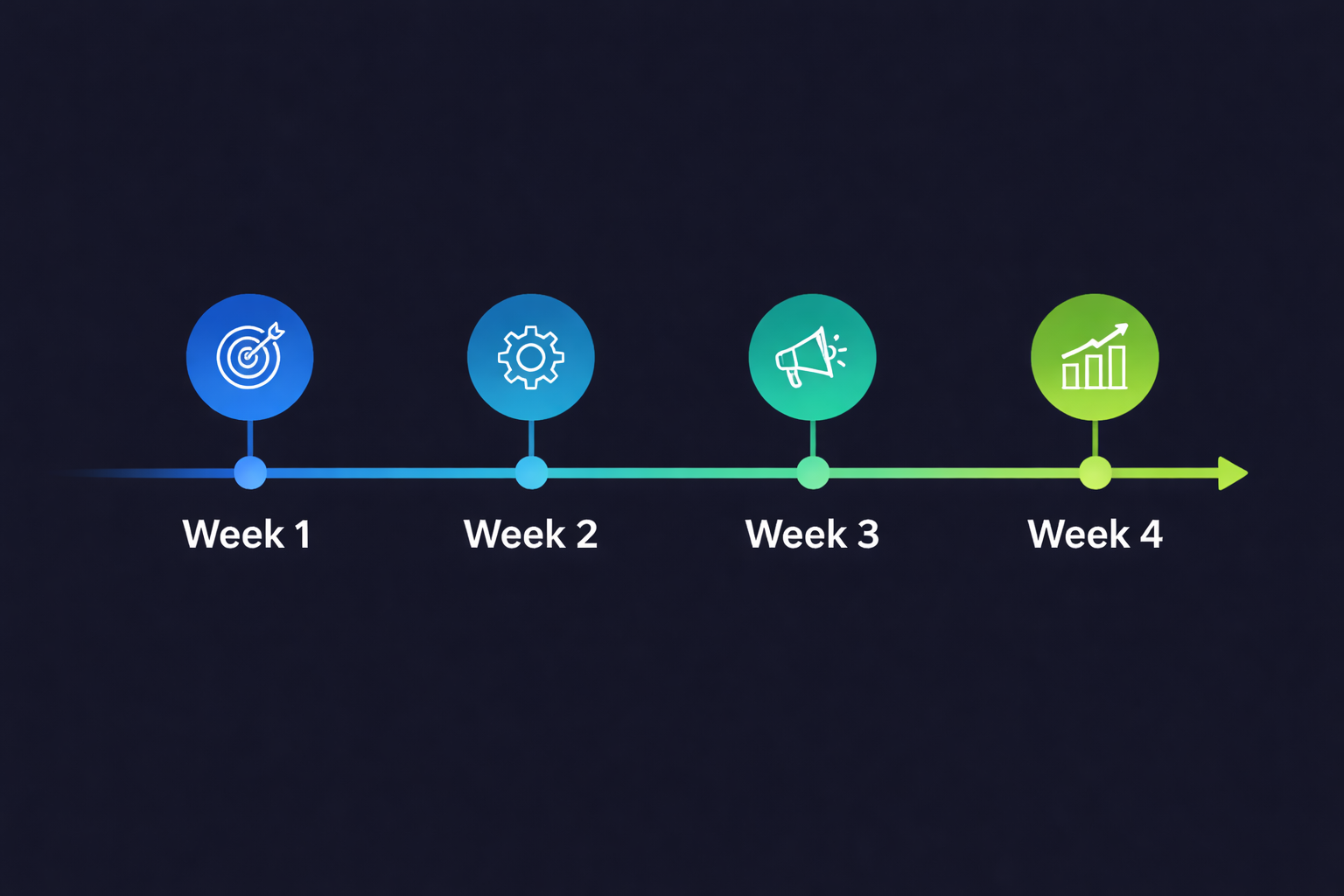
Week 1: Launch and Monitor
- Launch campaigns with 15-25 exact/phrase match keywords per ad group
- Set daily budgets at your monthly target / 30
- Enable all ad extensions (call, sitelink, callout, location, structured snippets)
- Enable call tracking on all landing pages
- Check Search Terms report daily for the first 5 days and add negative keywords
Week 2: Refine Keywords and Ads
- Review Search Terms report and add 10-15 negative keywords
- Pause any keywords with 30+ clicks and zero conversions
- Check Quality Scores. Any keyword below 5, check the diagnostic: is it ad relevance, landing page, or expected CTR?
- Add 3-5 new keyword variations you found in search terms that are converting
- Review ad performance. Pin your highest-CTR headlines to positions 1 and 2.
Week 3: Optimize Bids and Schedule
- Set up dayparting based on when your calls actually come in (check call tracking data)
- Increase bids on keywords converting below your target CPL
- Decrease bids on keywords converting above your target CPL
- Check geographic performance. If certain zip codes are not converting, exclude them.
- Review landing page bounce rates. Anything over 70% needs a page redesign.
Week 4: Scale or Fix
- If CPL is at or below benchmark and booking rate is over 20%: increase budget by 25%
- If CPL is above benchmark: audit Quality Score, landing pages, and keyword match types before spending more
- If you have 15+ conversions: consider switching to Target CPA bidding with a target 10% above your current CPL
- Create a monthly report: total spend, total leads, CPL, cost per booked job, ROAS
- Schedule a recurring weekly 30-minute optimization session (this is not set-it-and-forget-it)
What are the red flags that your contractor Google Ads campaign is wasting money?
Check your Google Ads account for these warning signs. If you find 3 or more, your campaign needs an overhaul before you spend another dollar.
- Search Terms report shows irrelevant queries. If "plumber salary," "HVAC certification," or "DIY drain cleaning" appear in your search terms, your keyword targeting is broken.
- Quality Score is below 5 on your top keywords. You are overpaying by 25% to 400% for every click.
- All traffic goes to your homepage. This cuts your conversion rate by 40 to 60% compared to service-specific landing pages.
- No conversion tracking is set up. You cannot optimize what you cannot measure. If you do not know your cost per lead, you are flying blind.
- One ad group has 30+ keywords. This makes it impossible to write relevant ads for every keyword. Max 10 per ad group.
- Your ads run 24/7 but your office closes at 5 PM. Every after-hours click that hits voicemail is wasted money.
- Click-through rate is below 3%. Industry average for contractors is 4 to 6%. Below 3% means your ads are not compelling or your keywords are not relevant.
- Bounce rate on landing pages is over 70%. People are clicking your ad then immediately leaving. Your landing page is not matching the promise of your ad.
- You have not checked the account in over 2 weeks. Google Ads is not set-it-and-forget-it. Campaigns degrade without regular optimization.
- Your cost per lead has increased 3+ months in a row. Competition is increasing and your campaign is not adapting. Time for a strategy refresh.
If you are seeing multiple red flags and do not have the time to fix them yourself, consider professional Google Ads management for contractors. A managed campaign should pay for itself within the first 60 days through reduced waste and higher conversion rates.
What are the most common Google Ads mistakes that burn contractor budgets?
Beyond the red flags above, here are the mistakes we see most often when auditing contractor Google Ads accounts:
Using Broad Match Keywords at Launch
Broad match lets Google match your ad to "related" searches. Google's definition of "related" is generous. A broad match bid on "plumber" can trigger your ad for "plumber salary," "plumber apprenticeship," or "plumber halloween costume." Always start with exact and phrase match.
Sending Traffic to the Wrong Page
Your AC repair ad should go to your AC repair page. Your water heater ad should go to your water heater page. Never send service-specific ads to your homepage, your "about us" page, or a generic "services" page.
Ignoring Mobile Experience
Over 70% of contractor search clicks come from mobile devices. If your landing page is not mobile-optimized with a click-to-call button prominently displayed, you are losing the majority of your potential leads.
Not Using Negative Keywords
We covered this in the keyword section, but it bears repeating. A campaign without negative keywords will waste 20 to 40% of its budget on irrelevant clicks. Build your negative keyword list from day one and update it weekly.
Setting and Forgetting
Google Ads requires weekly attention. Search patterns change, competitors adjust bids, and new keyword opportunities emerge constantly. A campaign that performed well 3 months ago can decay significantly without regular optimization.
These are just the highlights. For the full breakdown of all 12 mistakes with severity ratings, diagnostic signs, and step-by-step fix protocols, read our Google Ads Mistakes That Burn Contractor Budgets guide.
If managing all of this feels overwhelming, you are not alone. Most contractors do not have time to optimize Google Ads every week on top of running their business. That is exactly why Google Ads management for contractors exists. Or start with a Book Your Free Consultation to see where your current campaigns stand.
Google Ads for Contractors FAQ
How much should a contractor spend on Google Ads per month?
Most contractors need a minimum of $1,500 to $2,500 per month to generate meaningful data and leads. HVAC and plumbing companies in competitive metros often spend $3,000 to $6,000. Start at $1,500, run for 30 days, then scale based on cost per lead and booking rate. Below $1,000 per month you will not get enough clicks to optimize.
What is the average cost per click for contractor Google Ads?
Average CPCs range from $8 to $45 depending on your trade and market. HVAC averages $12 to $35 per click. Plumbing runs $15 to $45 for emergency keywords. Roofing averages $10 to $30. Electricians see $8 to $25. Emergency and high-intent keywords always cost more than general service terms.
Is Google Ads or Google LSA better for contractors?
LSA converts at 31% while Google Ads converts at about 12%, making LSA more efficient for phone call leads. But Google Ads gives you more control over targeting, messaging, and landing pages. Most successful contractors run both. Start with LSA for immediate phone leads, then add Google Ads to capture research-stage searches and service-specific queries LSA does not cover.
Why am I getting clicks on Google Ads but no phone calls?
The three most common causes are bad landing pages, missing call tracking, and broad match keywords pulling in irrelevant traffic. Your landing page needs a phone number above the fold, a clear headline matching the ad, and a contact form. If you are sending traffic to your homepage instead of a service-specific page, that alone can cut conversions by 50%.
How long does it take for Google Ads to start working for contractors?
Expect 2 to 4 weeks before you have enough data to make meaningful optimizations. Leads can start on day one, but your campaign will not hit peak performance until you have 30 to 60 days of conversion data. Google's algorithm needs at least 15 to 30 conversions to optimize your bidding effectively.
What is a good cost per lead for contractors on Google Ads?
A good cost per lead ranges from $35 to $80 for most contractor categories. HVAC averages $45 to $75. Plumbing averages $50 to $90 for emergency work. Roofing averages $40 to $70 for repair leads and $80 to $150 for replacement leads. If your CPL exceeds these ranges consistently, your campaign structure, keywords, or landing page needs work.
See the real numbers for your trade
Plug in your industry, budget, and close rate. Our calculator shows your projected leads, cost per booked job, and ROAS.
More on Google Ads for contractors
Part of the BGM Google Ads for contractors library. Pair this with the hub and the data deep-dives: