Published by Blue Grid Media • Updated March 2026 • 20 min read
Here's what most HVAC companies get wrong about advertising: they treat every lead source the same. They dump $2,000 a month into a directory like HomeAdvisor that sells the same AC repair call to four contractors, wonder why their close rate is 15%, and assume that's just how the business works.
It's not. Google Local Services Ads is a fundamentally different channel. When a homeowner searches "AC repair near me" at 2pm on the hottest day of the year, LSA puts your business name, star rating, and Google Verified badge at the very top of the results page. They call you directly. No bidding war with three other companies on the same lead. No $15/month subscription that quietly auto-renews while delivering nothing. Just a real customer with a real problem calling the contractor Google told them to trust.
HVAC is one of the highest-volume, highest-value categories on LSA. The combination of emergency urgency (no AC in July, no heat in January), high average job values ($200 tune-ups to $12,000+ full system replacements), and repeat customer potential makes it one of the best returns on ad spend in home services. But only if you set it up correctly and manage it around the seasonal swings that define this industry.
This guide covers everything: the real costs, the seasonal budget strategy most HVAC companies miss, how to turn $35 repair leads into $7,000 replacement jobs, the exact job types you should enable, and the ranking factors that separate the HVAC company getting 40 calls a week from the one getting 4.
TL;DR: Is LSA Worth It for HVAC?
Short answer: yes, and it's probably the single best lead source for residential HVAC companies in 2026. The math is straightforward.
Average cost per lead: $55
Emergency booking rate: 65%
Cost per booked emergency job: $55 / 0.65 = $84.60
// On a $350 repair:
Return: $350 / $84.60 = 4.1x ROAS
// On a $5,200 system replacement:
Return: $5,200 / $84.60 = 61x ROAS
// 15% of repair leads convert to replacements
Blended value per LSA lead: ~$485
Those numbers get even better when you factor in maintenance plan signups, referrals from satisfied customers, and the repeat business that comes from being the contractor a homeowner already trusts. A single LSA lead doesn't just represent one job. It represents a customer relationship that could be worth $5,000-$15,000 over 5-10 years.
That said, LSA alone won't fill every slot on your calendar year-round. The smartest HVAC companies run LSA for emergency and high-intent leads, then layer Google Search Ads on top for broader coverage during shoulder months, maintenance plan marketing, and new system research traffic.
Want to see what HVAC LSA leads cost in your market? Run the numbers for your own market with our free HVAC LSA ROI calculator.
HVAC LSA Deep Dive Series
This guide covers HVAC LSA from setup to strategy. For deeper analysis on specific topics, each page in this series focuses on one angle:
HVAC LSA Resources
What does Google LSA actually look like for HVAC searches?
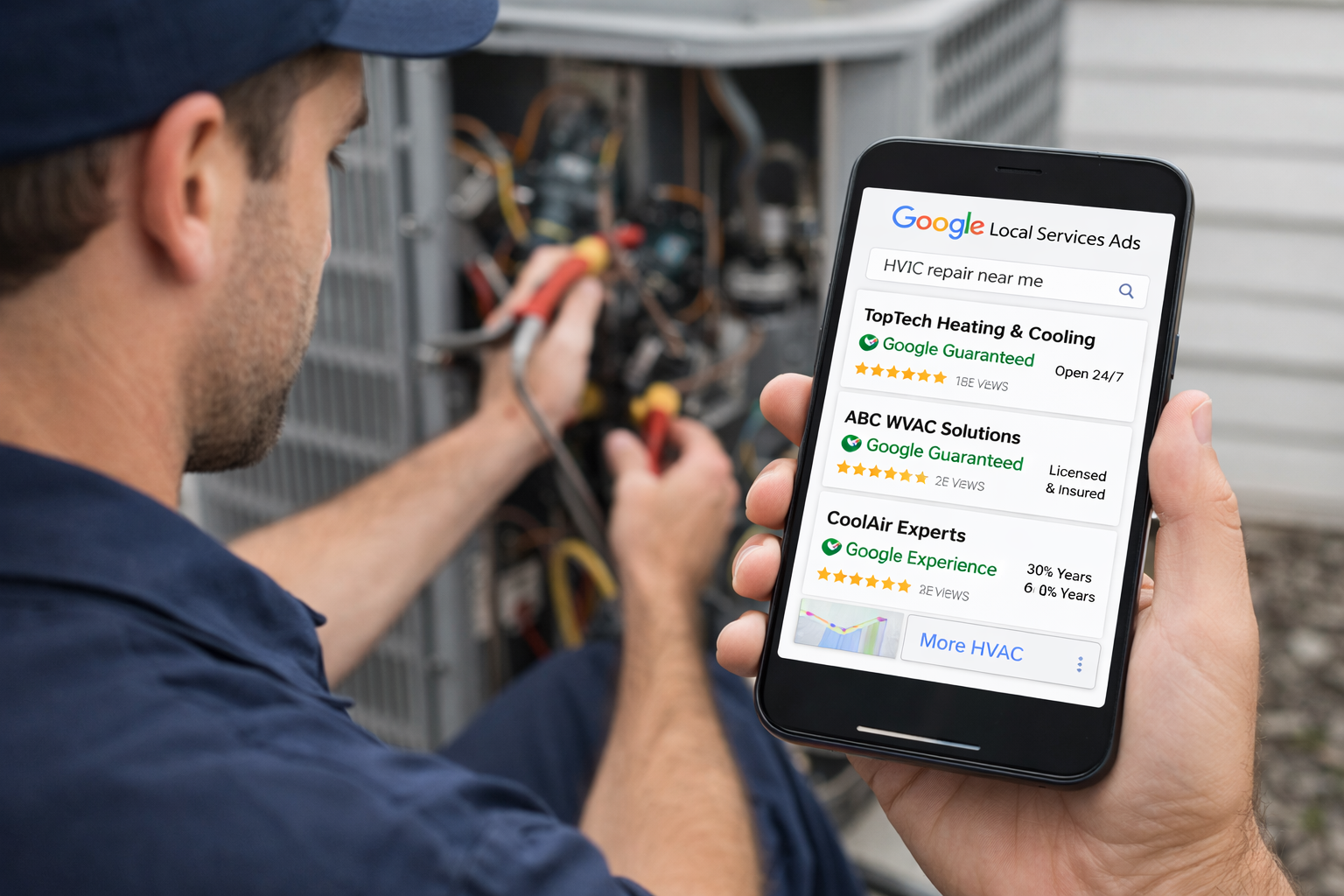
When a homeowner searches "AC repair near me," "furnace not working," or "HVAC company [city name]," Google surfaces a row of Local Services Ads at the very top of the page. This is above regular Google Ads, above the map pack, and above organic results. It's the first thing they see.
Each listing shows your business name, star rating, number of reviews, years in business, hours of operation, and a click-to-call button. For HVAC, this placement is everything. Emergency searches convert almost instantly. When it's 98 degrees and the AC just stopped, homeowners aren't comparing five quotes. They're calling whoever appears first with a verified badge and strong reviews.
The Google Verified badge on your listing tells homeowners that Google has checked your licenses, insurance, and background. In an industry where unlicensed contractors and fly-by-night operations are a real concern, that badge builds trust before the phone even rings.
Want to see what LSA could generate for your HVAC company?
Try the Free LSA ROI Calculator →Estimate your cost per lead, booked jobs, and ROAS by market in 30 seconds.
A click cost and a conversion rate give you the lead cost. The free CPA calculator does that step.
How do you set up Google LSA for your HVAC company, step by step?
Getting live takes some upfront work, but once your profile is verified, LSA becomes one of the lowest-maintenance lead channels you'll run. Here's the exact process:
Step 1: Create Your Profile
Go to ads.google.com/local-services-ads and set up your business profile. Add your business name, service areas (by zip code or radius), business hours, and a description that clearly explains what you do. For HVAC, make sure your description mentions both AC and heating, because homeowners search for both.
Step 2: Select Every Applicable Job Type
This is where most HVAC companies leave money on the table. Google has 12-15 HVAC-specific job types, and most contractors only enable 4-5. Every unchecked box is an entire category of searches you're invisible for. We'll cover the full list in the next section.
Step 3: Upload Licenses and Insurance
Google requires your state HVAC contractor license (or equivalent) and general liability insurance. Some states require additional certs like EPA 608 for refrigerant handling. Have digital copies ready. Incomplete documentation is the number one reason HVAC companies get stuck in verification for weeks.
Step 4: Complete Background Checks
Owners need a background check. Some markets require checks for field technicians too. This is the slowest step, often taking 1-3 weeks, so start it immediately. Don't wait until your licenses are approved to begin this process.
Step 5: Connect Your Google Business Profile
Your GBP reviews feed directly into your LSA listing. If you have 150 reviews at 4.8 stars on your Business Profile, those reviews appear on your LSA ad. If you have 12 reviews at 3.9 stars, that's what potential customers see. Make sure your GBP is complete, accurate, and actively collecting reviews before you go live. Our GBP optimization guide walks through every step, and our review strategy guide covers the collection system.
Step 6: Set Your Budget and Bid Mode
Start with Maximize Leads and a weekly budget based on 10-15 leads per week at your market's expected CPL. In most mid-size US markets, that's $400-$800/week to start. You'll adjust up during peak season and down during shoulder months. Don't set a manual max per lead bid to start. Let the algorithm find leads for two weeks, then optimize.
Step 7: Add Real Photos
Upload photos of your team, your trucks, your techs working on real jobs, and completed installations. No stock photos. Google rewards complete profiles with better placement, and homeowners trust listings with real images of real people. A crew photo next to a branded van builds more trust than any stock image of a smiling technician.
Get a Free HVAC LSA Eligibility Check →
The 12+ HVAC Job Types You Should Enable (and Why Most Companies Miss Half)
This is one of the biggest ranking and visibility levers HVAC companies overlook. Most contractors enable the obvious categories and skip services they perform every day but never thought to list. Here's the full inventory:
| Job Type | Avg. Job Value | Most Companies Enable? | Notes |
|---|---|---|---|
| AC Repair | $150-$600 | Yes | Highest volume, especially summer |
| AC Installation | $3,500-$8,000 | Yes | Highest value, longest sales cycle |
| Heating Repair | $150-$500 | Yes | Winter peak, high emergency rate |
| Furnace Installation | $2,500-$6,500 | Yes | Winter peak |
| HVAC Maintenance / Tune-Up | $89-$200 | Sometimes | Gateway to maintenance plans |
| Heat Pump Repair | $200-$700 | Often missed | Growing fast, especially in mild climates |
| Heat Pump Installation | $4,000-$9,000 | Often missed | Federal rebates driving demand in 2026 |
| Duct Cleaning | $300-$600 | Often missed | Easy add-on, high margin |
| Duct Repair / Installation | $500-$2,500 | Often missed | Commonly needed with system installs |
| Indoor Air Quality | $500-$2,000 | Rarely enabled | UV lights, purifiers, humidifiers |
| Mini-Split Installation | $2,000-$5,000 | Often missed | Huge growth category, additions/garages |
| Thermostat Installation | $150-$400 | Rarely enabled | Quick job, gateway to bigger work |
| Zone System Installation | $2,000-$3,500 | Rarely enabled | Premium service, high margin |
| Air Handler Service | $200-$600 | Rarely enabled | Distinct from AC/furnace repair |
The companies getting 30+ LSA leads per week have all 12-15 job types enabled. The companies getting 8-10 leads usually have 4-5. It's not a coincidence. Each job type opens up an entirely separate pool of searches. Someone searching "duct cleaning near me" will never see your ad if you only have AC repair and furnace installation enabled.
HVAC LSA Cost Overview
HVAC is one of the more competitive LSA categories, so lead costs reflect that. But unlike other advertising channels (including Facebook Ads, where you pay per click regardless of intent), you only pay when someone actually contacts you, not when they click, scroll past, or visit a page. For an honest comparison of LSA cost-per-lead against every other HVAC lead channel (Google Ads, GBP, pay-per-call, factory-authorized dealer programs, aggregators), see our HVAC leads channel comparison guide.
| Season | Typical CPL Range | Lead Volume | Competition Level |
|---|---|---|---|
| Summer (Jun-Aug) | $60-$120 | Very high | Peak competition |
| Winter (Dec-Feb) | $45-$90 | High | High competition |
| Spring (Mar-May) | $25-$50 | Moderate | Lower competition |
| Fall (Sep-Nov) | $25-$55 | Moderate | Lower competition |
A $70 lead that turns into a $2,500 AC replacement is a 35x return. A $45 lead that converts to a tune-up looks thin on its own, but when that customer signs a maintenance plan and calls you three years later for a $6,000 system upgrade, the original $45 lead generated $6,600+ in lifetime revenue.
CPL also varies significantly by market size, competition density, and whether a lead is emergency vs. planned. For a full breakdown including month-by-month CPL data, rural vs. metro benchmarks, and how to audit whether you're overpaying, see our dedicated HVAC LSA cost per lead guide.
HVAC Seasonality Strategy: Budget and Timing
HVAC demand is the most seasonal of any home service category. You have two peak windows (summer AC, winter heating), two shoulder periods, and the transition weeks in between where demand spikes unpredictably with the first heat wave or cold front.
The Seasonal Budget Framework
| Period | Weekly Budget | Focus | Why |
|---|---|---|---|
| Pre-Season Ramp (May, Oct) | $600-$900 | Early positioning | Build ranking before competitors increase spend |
| Peak Season (Jun-Aug, Dec-Feb) | $800-$1,500+ | Maximum volume | Highest demand, highest ROI despite higher CPL |
| Shoulder Season (Mar-Apr, Sep) | $250-$400 | Maintenance + reviews | Keep ranking active, build review momentum |
The biggest mistake HVAC companies make: waiting until demand spikes to increase their LSA budget. By the time a heat wave hits in June and you bump your budget from $400 to $1,200, your competitors who ramped up in May already have the momentum and ranking position. You're playing catch-up for the entire peak window. Ramp your budget 2-3 weeks before your market's historical demand spike.
For a month-by-month HVAC budget calendar with 1-truck, 3-truck, and 5+ truck company frameworks, heat wave/cold snap spike protocols, and minimum viable budget formulas, read our HVAC LSA budget guide.
How do HVAC contractors rank #1 in Google Local Services Ads?
LSA runs on an auction, but it's not just about who bids the most. Google weighs your bid against your profile quality, responsiveness, review count, review rating, and how likely a customer is to actually contact you. Here's what moves the needle for HVAC specifically:
1. Review Count and Velocity
This is the single biggest ranking factor. The HVAC company with 230 reviews at 4.8 stars will almost always outrank the company with 40 reviews at 5.0 stars. Volume matters more than perfection. Build a systematic review collection process that runs after every single job, not just the ones that go perfectly. Aim for 8-12 new reviews per month minimum, year-round.
2. Responsiveness and Answer Rate
Google tracks how quickly you answer calls and how often you miss them. HVAC is one of the few trades where calls come in at all hours, so this matters more for you than for most industries. A missed call at 2am on a freezing night is both a lost $4,000+ job and a ranking penalty. Use an answering service or on-call rotation for after-hours coverage.
3. Job Type Coverage
Every enabled job type is another search category where you can appear. The HVAC companies ranking #1 typically have all available job types enabled. If you only have AC repair and furnace installation, you're competing in 2 categories. Your competitor with 12 enabled types is competing in 12.
4. Profile Completeness
Photos, business description, service area accuracy, hours of operation. Every empty field is a signal to Google that your profile isn't as trustworthy as a completed one. Upload real photos (team, trucks, installations), write a detailed business description, and make sure your hours are accurate, including after-hours availability.
5. Proximity to the Searcher
You can't control this one, but you can optimize around it. Set your service area accurately. Don't claim a 50-mile radius if you really only serve a 20-mile zone. Overstating your area dilutes your relevance for nearby searches. If you have multiple locations, run separate LSA profiles for each to maximize local relevance.
For HVAC-specific tactics on each of these signals, including emergency response protocols, review velocity by season, and service area optimization for HVAC companies, see our HVAC LSA ranking factors guide. For the complete breakdown of every signal Google weighs in the LSA algorithm across all trades, read our full LSA ranking factors guide.
Not sure why your HVAC ads aren't showing?
Book Your Free Consultation →We'll review your profile, ranking position, and tell you exactly what to fix. No obligation.
The Repair-to-Replacement Pipeline (Where the Real Money Is)
This is where HVAC companies either leave money on the table or build a wildly profitable business off of LSA. The average repair call is $200-$500. The average system replacement is $4,800-$12,000. Both leads cost roughly the same CPL on LSA. The difference is what your technician does on-site.
The 10-Year Rule
When a tech shows up for a repair on a system that's 10+ years old, they should be trained to have the replacement conversation. Not a hard sell. A transparent comparison:
- "Your unit is 13 years old. This repair will cost $380 and should hold for another 6-12 months."
- "A new system would run about $5,200 installed, comes with a 10-year warranty, and will drop your energy bill 20-30% based on current SEER ratings."
- "No pressure either way. I can do the repair today and you can think about replacing it before next summer when prices typically go up."
Roughly 15-20% of repair calls on aging systems convert to full replacements when techs present the comparison honestly. On a $55 LSA lead, that means 1 in 5-7 repair leads generates a $5,000+ replacement job. That one conversion covers the cost of 60-80 LSA leads. The rest of those leads still generated repair revenue, maintenance plan signups, and review opportunities.
100 LSA leads per month at $55 avg CPL = $5,500 ad spend
65 leads book repair jobs at $350 avg = $22,750
15% of repair leads convert to replacements
10 replacement jobs at $5,200 avg = $52,000
Total revenue from 100 leads: $22,750 + $52,000 = $74,750
ROAS: $74,750 / $5,500 = 13.6x
That 13.6x return doesn't even account for the maintenance plans, referrals, and future work those 100 customers will generate. This is why the top HVAC companies on LSA are so aggressive with their budgets during peak season. They understand the full pipeline, not just the immediate repair revenue.
Maintenance Plan Economics: Turning One-Time LSA Calls Into Recurring Revenue
Every LSA call, whether it's a $89 tune-up or a $400 repair, is a chance to sell a maintenance agreement. And maintenance plans are how you smooth out the brutal seasonality of HVAC revenue.
Why Maintenance Plans Change the Math
- Predictable recurring revenue. A $199/year maintenance plan from 200 customers generates $39,800 annually, rain or shine, peak or shoulder season. That's a baseline that covers overhead before you book a single repair or installation.
- First-call advantage on replacements. Maintenance plan customers call you first when their system dies. They already trust you. They don't call three companies for quotes. Your close rate on replacement jobs from existing maintenance customers is typically 70-85%, compared to 25-35% from cold LSA leads researching new systems.
- Steady review velocity. Every bi-annual maintenance visit is a review opportunity. Two visits per year per customer means your 200 maintenance plan customers could generate 50-80 reviews annually with even a modest request rate. That's the review velocity that keeps your LSA ranking dominant year-round.
The LSA-to-Maintenance Pipeline
The best HVAC companies convert 20-30% of repair LSA leads into maintenance plan customers. Here's the play:
- Repair the immediate problem. Do great work. Solve what they called about.
- Show them what a maintenance plan prevents. "If we'd caught this during a spring tune-up, it would have been a $30 capacitor replacement instead of a $380 emergency repair."
- Offer a discount for signing up today. "$199/year gets you two tune-ups and 15% off any future repairs. Since we're already here, I can sign you up right now and your spring tune-up is already included."
- Follow up by email within 48 hours for customers who didn't sign up on-site. Many will reconsider once they see the repair bill.
Over 3 years, a maintenance plan customer is worth $597 in plan fees + roughly $800-$1,200 in discounted repairs + a 15-20% chance of a $5,000+ system replacement. That's roughly $2,200-$3,500 in total lifetime value from a single LSA lead that originally cost you $55.
After-Hours Calls: Your Highest-Value HVAC Leads
HVAC is one of the only trades where middle-of-the-night emergency calls are common, expected, and incredibly profitable. A homeowner with no heat at 2am in January or no AC at midnight in August is not comparison shopping. They're calling whoever answers. Period.
The After-Hours Revenue Opportunity
- After-hours emergency calls close at 80-90% (vs. 50-65% for daytime calls)
- Average emergency job value is $400-$800 with after-hours premiums
- Emergency repair customers convert to replacements at 20-25% (higher than daytime because the system failure creates urgency)
- A single after-hours call can generate $4,000-$8,000+ if it leads to a system replacement
Google tracks your responsiveness and penalizes missed calls. But beyond ranking, every after-hours call you miss goes to the next contractor in the LSA pack. That's not just a lost $400 repair. It's a lost potential $7,000 replacement and a customer who now trusts someone else.
How to Cover After-Hours Without Burning Out
- Use a live answering service. Services like Ruby, AnswerConnect, or industry-specific options cost $200-$400/month and answer 24/7 with your custom script. They book the appointment and your on-call tech gets dispatched.
- Rotate on-call techs weekly. Don't burn one person out. A rotating schedule keeps everyone sharp and willing.
- Charge after-hours premiums. $89-$149 after-hours dispatch fees are standard and expected. Customers calling at 2am aren't price-sensitive. They need help now.
- Track after-hours conversion separately. If your answering service is booking 40%+ of after-hours calls into same-day or next-morning appointments, it's working. Below that, the script or handoff process needs fixing.
Dispatch Optimization: Getting More Revenue Per Day From LSA Leads
Generating 30 LSA leads a week means nothing if your dispatch system wastes 2 hours a day driving between jobs. HVAC companies that optimize their routing and scheduling extract 25-40% more revenue from the same number of leads.
Zone-Based Scheduling
Instead of dispatching the next available tech to the next incoming call regardless of location, organize your service area into zones. Monday morning is the north zone, Monday afternoon is the east side, Tuesday is the south zone, and so on. When an LSA lead calls from the north side on Monday, book them for Monday morning's block. If they need same-day service, the tech is already in the area.
Stack Jobs by Type, Not Just Location
A tech loaded for AC repairs (refrigerant, capacitors, contactors) should be running AC calls all day, not switching between duct cleaning, thermostat installs, and furnace diagnostics. Type-stacking minimizes truck re-stocking, reduces diagnostic time per call, and lets your tech build momentum. Three AC repairs in a row take less total time than three random service types.
Fill Dead Time With Maintenance Visits
When there's a 90-minute gap between booked LSA jobs, don't let the tech sit idle. Pull a maintenance plan visit from the schedule for a customer in the same zone. That's a $89-$150 job you're completing with time that would otherwise generate zero revenue. Over a month, filling just one gap per day per tech adds $1,800-$3,000 in maintenance revenue.
Should HVAC Companies Run LSA and Google Ads Together?
Yes, and HVAC is one of the clearest cases for running both because your business serves two very different customer types.
LSA Catches the Emergency Buyer
The homeowner whose AC quit in July or whose furnace stopped on a freezing night. They're not comparing three quotes. They're calling whoever Google shows them first with a verified badge and strong reviews. That's your LSA sweet spot. These leads close at 65-80% and the customer makes a decision within hours, not weeks.
Google Ads Catches Everyone Else
And for HVAC, "everyone else" is a massive market. Homeowners researching new system costs before their 15-year-old unit dies. Families comparing SEER ratings and asking whether a heat pump makes sense in their climate. Property managers looking for commercial maintenance contracts. None of these searches trigger LSA because they're not urgent enough. But they're your future $6,000-$12,000 installation jobs, and Google Ads is how you get in front of them months before they're ready to buy.
What Google Ads Does That LSA Can't
- Seasonal promotions: Running a $79 spring tune-up special? A $500-off new system promo? Google Ads lets you build campaigns around those offers with dedicated landing pages and targeted keywords. LSA doesn't support promotions at all.
- Commercial targeting: Property managers, facility directors, and building owners searching for commercial HVAC contractors rarely use LSA. Google Ads with commercial-focused keywords and landing pages is how you reach that market.
- New system research: "Best HVAC system for 2,000 sq ft house" or "heat pump vs furnace cost" are research queries that don't trigger LSA. But they represent homeowners who'll spend $5,000-$12,000 in the next 3-6 months. Google Ads captures them early in the buying process.
- Retargeting: Someone who visited your site from an LSA ad but didn't call can be retargeted with Google Display ads for weeks. LSA has no retargeting capability.
The HVAC companies running both channels consistently see a lower blended cost per booked job than those running either channel alone. For a side-by-side comparison, read our Google Ads vs. LSA guide for contractors.
Running LSA but not sure about Google Ads?
Talk to an HVAC Ads Specialist →We'll tell you if adding Google Ads makes sense for your market, or if LSA alone is enough.
LSA Mistakes HVAC Companies Make
Most HVAC companies make the same handful of errors that quietly drain leads, inflate CPL, or suppress ranking. Here are the four that cause the most damage:
1. Running a Flat Budget All Year
A $500/week budget burns through in three days during a July heat wave and has nothing left for the rest of the week. Meanwhile, you're paying the same $500/week during April when leads cost half as much and your schedule is half empty. Build a seasonal budget plan that matches your demand curve.
2. Only Enabling 4-5 Job Types
AC repair and furnace installation are on every HVAC profile. But duct cleaning, indoor air quality, mini-split installation, heat pump service, thermostat replacement, and zone system installation are services most HVAC companies perform but forget to enable. Every unchecked box is an entire category of searches you're invisible for.
3. No After-Hours Call Handling
A furnace dying at 11pm on a Saturday is a $3,000-$6,000 replacement opportunity. If that homeowner calls you and gets voicemail, they're calling the next contractor before your outgoing message finishes. Use a live answering service or on-call rotation. Emergency HVAC calls are your highest-value leads.
4. Ignoring the Lead Dispute Process
Google gives you credits for invalid leads, but you have to dispute them within the window. Wrong numbers, out-of-area calls, non-HVAC inquiries (appliance repair, water heater service), and spam calls are all disputable. Set a weekly recurring task to review leads and dispute invalids. This alone can save $200-$500/month.
For all 12 HVAC LSA mistakes, including GBP disconnection issues, wrong bid mode during peak, seasonal ranking decay, and disconnected service areas, see our HVAC LSA mistakes guide with severity ratings and step-by-step fixes for each.
How to Track HVAC LSA Results (Beyond Cost Per Lead)
HVAC jobs range from $89 tune-ups to $12,000 system replacements. "Cost per lead" alone is almost meaningless when your job values span a 100x range. Here's the framework that actually tells you whether LSA is working:
Metric 1: Cost Per Booked Job by Job Type
Track repairs, installations, maintenance, and replacements separately. If your LSA generates mostly $150 tune-up calls at $55/lead, the margin is thin. But if 15% of those leads convert to $5,000+ system replacements, the blended return is exceptional. You can't see this if you're looking at one number.
Metric 2: Seasonal CPL Comparison
Your summer AC leads will cost $60-$90 in most markets. Winter heating leads run $45-$65. Shoulder season drops to $25-$50. Track these quarterly so you can set accurate budgets next year instead of guessing. Year-over-year CPL trends also reveal whether your market is getting more or less competitive.
Metric 3: Emergency vs. Planned Close Rate
Emergency calls (no heat, AC died) convert at 70-80% because the customer is desperate. Planned work (new system research, maintenance) converts at 30-40%. Blending these gives a misleading number. Separate them and you'll likely find your emergency lead economics are outstanding while planned work needs a different follow-up approach.
Metric 4: Repair-to-Replacement Conversion Rate
Track what percentage of repair calls on aging systems (10+ years) result in replacement quotes, and what percentage of those quotes close. If your techs are presenting replacement options on 80% of aging-system repairs and closing 15-20% of those, you're performing well. Below that, focus on technician training and quote follow-up processes.
Metric 5: Maintenance Plan Signup Rate
What percentage of LSA-generated repair and tune-up customers sign a maintenance plan? Top HVAC companies convert 25-30% of first-time service customers to plans. If you're below 15%, your on-site offer or follow-up sequence needs work. Each plan signup increases the customer's lifetime value by 3-5x.
Metric 6: After-Hours Call Performance
If you're paying for an answering service, track how many after-hours calls actually turn into booked jobs. A good service should convert 40%+ of emergency calls into same-day or next-morning appointments. Below that, the script or handoff process needs fixing.
For ROAS benchmarks by company size, break-even CPL calculations, and full ROI models across repair-focused, replacement-focused, and maintenance plan-focused HVAC businesses, see our HVAC LSA ROI benchmarks guide.
That formula is only as good as the margin you feed it. The free contractor profit margin calculator works out what a job actually nets after labor burden and overhead.
HVAC LSA FAQs
Does HVAC LSA cost more in summer vs. winter?
Yes, significantly. Summer AC leads in competitive markets can run $70-$120 per lead because every HVAC company is bidding for the same surge in demand. Winter heating leads tend to be slightly lower at $50-$90. Spring and fall typically see the lowest CPL at $25-$50, though lead volume is also lower. Plan your budget around these swings rather than running a flat weekly spend all year.
Are emergency HVAC leads from LSA better than planned maintenance leads?
They convert differently. Emergency leads (no AC, furnace died) close at 70-80% because the homeowner needs same-day service. Planned leads (tune-up, system research) close at 30-40% but can lead to higher-value installations and maintenance plan signups. Both are worth pursuing. The key is tracking them separately so you understand the true return on each type.
How do I turn a $300 HVAC repair into a $7,000 system replacement through LSA?
Train your techs to assess system age and condition on every repair call. When a homeowner calls through LSA for a repair on a 12+ year-old unit, your tech can show them the math: this repair now vs. a new system with a 10-year warranty that cuts their energy bill 20-30%. About 15-20% of repair calls on aging systems convert to full replacements when techs present the comparison honestly, without pressure.
What HVAC-specific licenses does Google require for LSA verification?
Google requires your state HVAC contractor license and general liability insurance at minimum. Some states require additional certifications like EPA 608 for refrigerant handling. Background checks are required for owners and in some markets for technicians too. Upload everything your state mandates. Incomplete documentation is the number one reason HVAC companies get stuck in verification limbo for weeks.
How many HVAC service types should I enable in LSA?
Every single one you can legitimately deliver. Most HVAC companies enable 4-5 obvious services and miss another 6-8 they actually offer. Check for duct cleaning, indoor air quality, mini-split service, heat pump repair, thermostat installation, zone system installation, and air handler service. Each enabled service type opens up an entire category of searches you were previously invisible for.
Should I keep LSA running during the HVAC off-season?
Yes, at a reduced budget, not turned off. Shutting off LSA during spring and fall lets your ranking decay and gives competitors who stay active a head start going into peak season. A $200-$300/week budget during shoulder months keeps your profile active, builds review momentum, and means you're not starting from scratch when the first heat wave or cold snap hits.
Can HVAC companies run LSA for both residential and commercial work?
LSA is designed for residential and small commercial leads. You'll get calls from property managers, small office buildings, and retail shops, but enterprise commercial work rarely comes through LSA. If commercial is a major part of your business, use Google Search Ads with dedicated commercial landing pages to reach facility managers and property management companies. LSA handles the residential volume; Google Ads handles the commercial pipeline.
How do I handle the LSA lead dispute process for HVAC?
Review every lead weekly and dispute calls that are wrong numbers, existing customer check-ins, out-of-area requests, or non-HVAC inquiries. Google gives you a limited window so don't batch monthly. Common HVAC-specific disputes include commercial inquiries when you only serve residential, appliance repair requests (ovens, water heaters), and spam calls. Credits from disputes typically save HVAC companies $200-$500 per month. Read our full lead dispute guide for the process.
Next Steps
HVAC is a seasonal business, and the companies that dominate LSA plan around that seasonality instead of reacting to it. They ramp budgets before peak season, collect reviews during slow months, staff phones for after-hours emergencies, train techs to present replacement options on aging systems, and track every lead outcome by job type so they know exactly where their money works hardest.
The HVAC companies that treat LSA as a year-round system, not a summer-only spend, are the ones filling their schedule consistently regardless of season. They're building maintenance plan revenue that smooths out the peaks and valleys. They're converting $55 repair leads into $5,000+ system replacements at a 15-20% clip. And they're stacking reviews during shoulder months so they're already ranked #1 when the first heat wave hits.
If you're not on LSA yet, get your profile set up before your next peak season starts. If you're already on LSA but the results feel inconsistent, go through this guide section by section and check each element against your current setup. Chances are there are job types you haven't enabled, a seasonal budget strategy you haven't implemented, and a repair-to-replacement pipeline you haven't built yet.
Ready to go deeper? The HVAC LSA series covers each dimension in detail: cost per lead by season and market, monthly budget planning, HVAC-specific ranking tactics, ROI benchmarks by company type, and all 12 mistakes with fixes.
The same LSA model that works for HVAC applies across other home service trades. If you run multiple service lines or want to see how the economics compare, we cover electricians, plumbing, roofing, pest control, and water damage restoration in separate guides.
Get Your Free HVAC LSA Audit
We'll review your LSA profile, ranking position, seasonal budget, and job type coverage. Then tell you exactly what's working, what's not, and what to fix first.
Book Your Free Consultation →Results vary by market, competition, and how consistently you follow up on leads. Blue Grid Media specializes in LSA and Google Ads for home service businesses. Book a free review and let's look at your numbers together.
See the real numbers for your trade
Plug in your industry, budget, and close rate. Our calculator shows your projected leads, cost per booked job, and ROAS.
More for HVAC operators
Pair this with the rest of the HVAC operator series. Each guide covers a different angle on growing an HVAC company through paid search: