Published by Blue Grid Media • March 7, 2026 • Updated May 20, 2026 • 14 min read
Quick answer: Google Verified (rebranded from Google Guaranteed in October 2025) is the trust badge that appears next to Local Services Ads listings for home service contractors. To get it you need a valid state-level license for your trade, $1M+ general liability insurance with Google added as Additional Insured (your COI dated at least 14 days old when you apply), a verified Google Business Profile, and you need to pass a background check on the business owner and customer-facing employees. Typical end-to-end timeline is 2 to 5 weeks. The process did not change in the October 2025 rebrand; only the badge name (Verified instead of Guaranteed) and the discontinuation of the consumer money-back guarantee on November 7, 2025. Note on "Google Screened": that designation is for professional services like lawyers, accountants, financial planners, and real estate agents, not home service contractors. If you are a home services contractor, you want Google Verified. Google also runs pet care categories, and veterinary practices verify through state license checks the same way a licensed trade does.
You've heard the pitch: sign up for Google Local Services Ads, get a fancy badge next to your name, and watch the leads roll in. Sounds simple enough. Then you sit down to actually apply and realize you need six different documents, your insurance has to be at least 14 days old (who knew?), and there's a background check that takes longer than your last roof replacement. We get it. The process feels like it was designed by someone who's never had to run a business and answer service calls at the same time.
But here's the thing: that Google Verified badge (formerly called Google Guaranteed) genuinely puts your business in front of homeowners who are ready to hire right now. It sits at the very top of search results, above regular Google Ads, above the map pack. It's the single best position in Google for a contractor. The catch? You have to actually get through the verification process first. Miss one requirement and your application stalls for weeks. Fail the background check and you're locked out for 30 days. This guide walks you through every step, tells you exactly which documents to prepare, and shows you what to do if things go sideways.
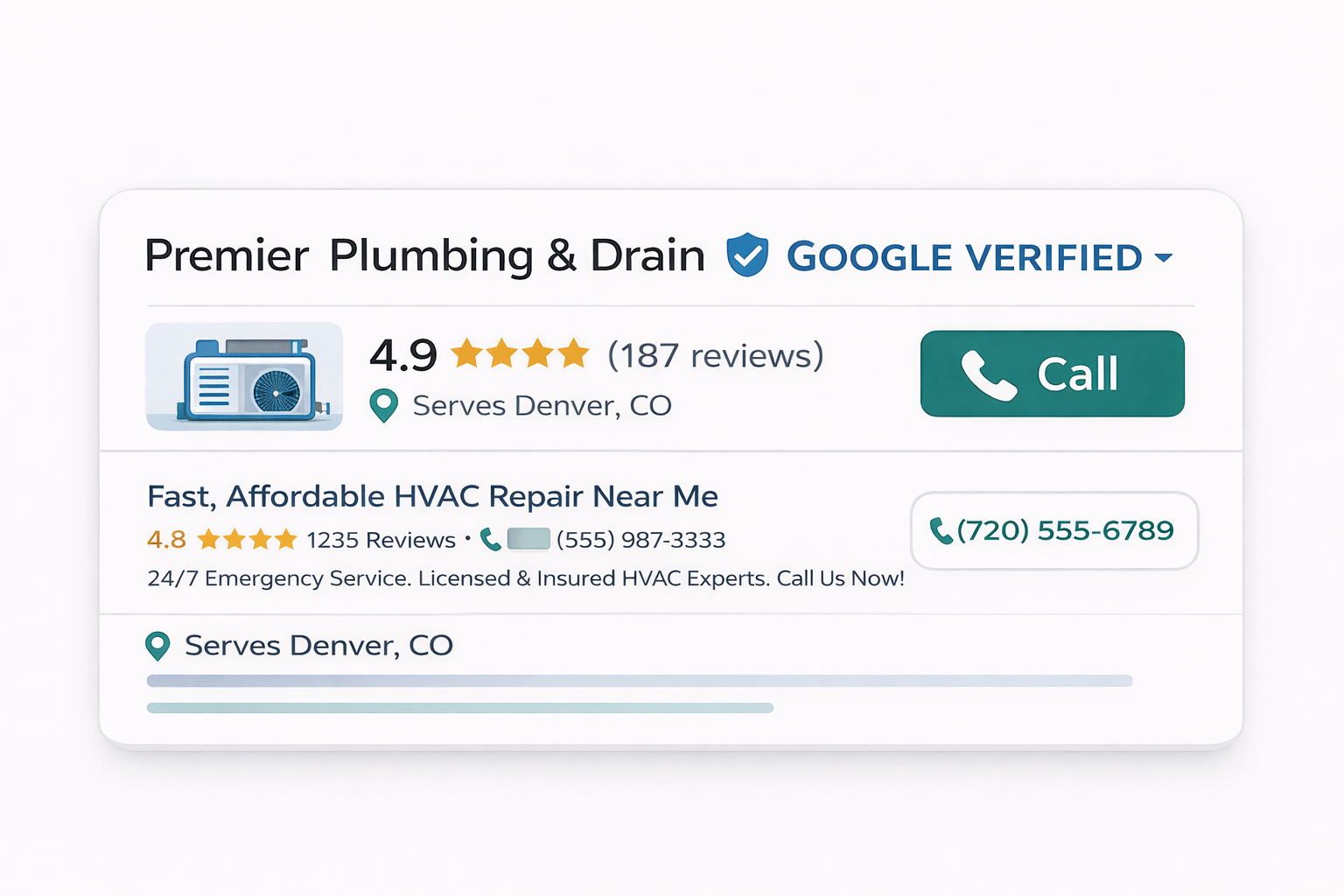
Google Guaranteed vs Google Verified: what changed in October 2025?
Until October 2025, passing Google's screening earned you a green "Google Guaranteed" badge. This badge came with a consumer-facing money-back guarantee. If a customer booked through your LSA listing and was unsatisfied, they could file a claim with Google for a refund of up to the job invoice amount (capped at a lifetime limit per customer).
Google replaced this program with the blue "Google Verified" badge in October 2025 and formally discontinued the money-back guarantee on November 7, 2025. Here is what changed and what stayed the same:
| Feature | Google Guaranteed (Pre-Oct 2025) | Google Verified (Current) |
|---|---|---|
| Badge color | Green checkmark | Blue checkmark |
| Consumer money-back guarantee | Yes, up to job invoice amount | No, discontinued Nov 7, 2025 |
| Insurance verification | Required | Required (unchanged) |
| License verification | Required | Required (unchanged) |
| Background checks | Required | Required (unchanged) |
| Google Business Profile | Recommended | Mandatory (since Nov 2024) |
| CTR impact | Significant | 210% higher than non-badged listings |
| Annual renewal | Yes | Yes (unchanged) |
The practical takeaway: the verification process is identical. The badge still signals trust to consumers. The main difference is Google no longer offers refunds to dissatisfied customers, which actually simplifies things for you. No more dispute claims coming out of Google's guarantee pool tied to your listing. One less headache to worry about.
Google Guaranteed → Google Verified: What Changed
- ✓ Green badge
- ✓ $2,000 money-back guarantee
- ✓ Background check required
- ✓ Blue badge
- ✗ No money-back guarantee
- ✓ Same screening process
Google Screened vs. Google Guaranteed: What's the Difference?
If you have searched for "how to get Google Screened" or "Google Screened vs Google Guaranteed," here is the short answer: Google Screened is a separate verification program for professional service providers like lawyers, financial planners, real estate agents, and tax preparers. Google Guaranteed (now Google Verified) is the program for home service contractors like HVAC, plumbing, electrical, roofing, and other trades.
The key differences:
- Google Screened applies to professional services. It verifies professional licenses and qualifications, requires a Google-conducted interview, and has no business-location verification step. Providers get a green "Google Screened" badge. No consumer money-back guarantee was ever included.
- Google Guaranteed / Google Verified applies to home service businesses. It verifies insurance, business licenses, runs background checks, and requires location verification. Providers get the blue "Google Verified" badge (previously the green "Google Guaranteed" badge).
If you are a contractor or home service business, you need the Google Verified (formerly Google Guaranteed) badge, not Google Screened. The application process further down covers everything you need. If you run a professional services firm, the next section is for you.
How to Become Google Screened (Lawyers, Dentists, and Professional Services)
Google Screened is the badge for licensed professional service providers, not home service trades. If you run a law firm, dental or medical practice, financial planning firm, accounting or tax practice, or real estate brokerage, Google Screened is the version of the Local Services Ads trust badge you qualify for. The screening is stricter on professional credentials and lighter on the physical-business checks that contractors go through.
Google Screened requirements
- A valid professional license in your field, in every state where you practice (bar license for attorneys, state dental or medical license for practices, and so on).
- A business-level background check on the business and its owner, run through Google's screening partner.
- A Google-conducted interview. Unlike Google Guaranteed, Screened includes a verification interview before approval.
- A Google Business Profile with a 3.0-star rating or higher. Screened businesses must maintain that minimum rating to keep the badge.
- Professional liability or malpractice insurance where the category requires it (for example, legal and medical practices).
What Google Screened does not require: business-location verification (Screened skips the address check that Guaranteed runs) and the consumer money-back guarantee (Screened never carried one). The green "Google Screened" badge signals verified credentials, not a financial backstop.
The setup steps mirror the contractor process below, with two differences: you upload professional licenses instead of trade licenses and proof of insurance, and you complete the Google interview before the badge goes live. Multi-state firms have to clear license verification and any state advertising rules in every state they list, which is the most common reason a Screened application stalls. For practice-area-specific setup, see our guides on Google Ads and Google Screened management for law firms and Google Ads and LSA for dental practices.
Google Guaranteed Requirements Checklist
Here are the Google Guaranteed (now Google Verified) requirements in one place. Check each item off as you confirm it. The single biggest cause of rejection is a business-name mismatch across these documents, so verify that your business name reads exactly the same on your license, your insurance certificate, your Google Business Profile, and your Local Services Ads profile before you apply. Your progress saves in your browser.
Google publishes the official category and document requirements in its Local Services business screening and verification requirements help page, and explains the screening process in its screening and verification overview. Requirements vary slightly by trade category and state, so confirm your specific category there before you submit.
How do you actually get Google Verified, step by step?
Below is the exact sequence from start to running your first verified Local Services Ad. Each step includes the specific actions you need to take and common pitfalls to avoid.
The 7-Step Google Verified Application Process
- Check EligibilityService-based business in eligible categoryDay 1
- Create LSA Profileads.google.com/localservicesDay 1
- Verify Google Business ProfileMust be public & accurateDay 1 – 2
- Submit Insurance$1M minimum Certificate of InsuranceDay 2 – 7
- Submit LicensesState & trade-specific licensesDay 2 – 10
- Complete Background ChecksOwner + field techniciansDay 7 – 21
- Review & ApprovalFinal review by Google2 – 5 weeks total
Step 1: Confirm Your Business Is Eligible
Google Local Services Ads are available for service-based businesses in specific categories. Not every industry qualifies, but if you're reading this, yours probably does. Home service trades like HVAC, plumbing, electrical, roofing, pest control, landscaping, carpet cleaning, appliance repair, tree service, water damage restoration, garage door service, fencing, flooring, junk removal, and moving are all eligible and among the highest-volume LSA categories.
Before you start the application, confirm your business type appears in Google's LSA category list. You can check this at ads.google.com/local-services-ads by entering your zip code and business category. If your category doesn't appear, LSA isn't available for your industry in your area yet. For a full breakdown of every business type currently eligible, see our complete list of every industry eligible for Google Local Services Ads.
Step 2: Set Up Your Google Business Profile
Since November 2024, a verified and public Google Business Profile (GBP) is mandatory for all LSA applications. This used to be optional. It's not anymore. Your GBP must meet all of the following criteria before you can proceed:
- Verified. You've completed Google's GBP verification (typically a video call or postcard verification).
- Public. The profile is live and visible to searchers, not sitting in draft or suspended status.
- Accurate NAP. Your business name, address, and phone number match exactly what you'll use on your LSA profile.
- Correct categories. Your primary GBP category accurately reflects your core service.
If your GBP is suspended, has incorrect information, or isn't verified, resolve those issues first. An unverified GBP will block your LSA application entirely. Your LSA ranking is also directly tied to GBP quality, so getting this right now pays dividends later.
Check your current position before you change anything with the free LSA Visibility Scanner.
Step 3: Create Your LSA Profile
Go to ads.google.com/local-services-ads and sign in with the same Google account that manages your GBP. Click "Get started" and follow the prompts to create your Local Services Ads profile.
During this setup you'll enter:
- Business name and contact information
- Service area (zip codes or radius)
- Service categories and specific job types you offer
- Business hours and availability
- A business description and photos
Fill out every field completely. Google has confirmed that profile completeness is a ranking factor, so incomplete profiles rank lower and pay higher costs per lead. Upload real team photos and job photos, not stock images. (Homeowners can tell the difference, trust us.) Write a business description that naturally includes your core services and the areas you serve.
Step 4: Submit Insurance Verification
Google requires a certificate of insurance (COI) with a minimum of $1,000,000 in general liability coverage. This is non-negotiable regardless of your industry or business size. Your COI must meet these requirements:
- Minimum coverage. $1,000,000 general liability. No exceptions.
- Active policy. The policy must have been active for at least 14 days before you submit it. Google rejects COIs from policies that were just opened, likely to prevent applicants from purchasing temporary coverage solely to pass verification.
- Matching business name. The business name on your COI must exactly match your LSA profile and GBP. Abbreviated names, DBAs that don't match, or outdated business names will cause rejection. This one trips up more contractors than you'd expect.
- Current dates. The policy must not be expired. If your renewal is coming up within the next 30 days, consider waiting until the new policy is in effect to avoid delays.
Step 5: Submit License Verification
Licensing requirements vary by state and trade. Google checks that you hold the required professional licenses for the services you've enabled on your LSA profile. For most contractors, this means:
- State contractor's license (if your state requires one)
- Trade-specific licenses (electrical, plumbing, HVAC, etc.)
- Municipal or county business licenses where applicable
Upload clear, legible copies of every required license. If a license is about to expire, renew it before submitting your application. An expired license will halt the entire process. Google's verification team will cross-reference your license numbers against state databases, so the information must match exactly.
Step 6: Complete the Background Check
This is the step that makes most business owners nervous. Google requires background checks on the business owner and, in some cases, field employees. We cover the background check in detail in the section below, but here is the high-level process:
- You'll provide a government-issued photo ID and Social Security Number for the business owner.
- Google's screening partner conducts criminal history checks, sex offender registry checks, terrorist watchlist checks, and in some cases civil litigation searches.
- Employees who perform work at customer locations may also need to be screened, depending on your state and service category.
The background check is confidential. Google does not share the results with anyone outside their screening process. The check typically takes 1 to 3 weeks to complete.
Step 7: Review and Approval
Once all documents are submitted and background checks are complete, Google's verification team reviews your full application. If everything checks out, your profile is approved and the Google Verified badge appears on your listing. You can then set your budget, enable bidding, and start receiving leads.
If any item fails verification, Google will notify you with a specific reason and instructions for resolution. We cover the most common rejection reasons in detail below.
Run the LSA Setup Checklist
Use our free LSA Setup Checklist to verify your account is configured correctly before going live. It covers every credential, configuration, and launch step in one printable list.
Open Setup Checklist →What documents do you need for Google Verified verification?
Prepare all of these before you start the application. Having everything ready upfront can cut your total verification time from 5 weeks down to 2.
| Document | Requirements | Common Issues |
|---|---|---|
| Certificate of Insurance (COI) | $1M minimum general liability, active 14+ days, matching business name | Business name doesn't match LSA profile; policy too new; coverage below $1M |
| State contractor's license | Current and valid for services listed on your LSA profile | Expired license; license type doesn't cover all enabled services |
| Trade-specific licenses | Varies by state: electrical, plumbing, HVAC, pest control, etc. | Missing municipal licenses; licenses under a different business entity |
| Government-issued photo ID | Valid driver's license, passport, or state ID for business owner | Expired ID; name doesn't match business records |
| Social Security Number | Required for background check, business owner and flagged employees | Incorrect number provided; name mismatch on records |
| Google Business Profile | Verified, public, accurate NAP, correct categories | Suspended GBP; unverified profile; mismatched business name or phone |
Verification Document Checklist
Gather These First
- General Liability Insurance Certificate$1M+ policy, must list your exact business name as the insured
- Business LicenseState-specific, must be current and match your LSA profile name
- Trade-Specific LicensesElectrical, HVAC, plumbing, etc., varies by state and trade
- Government-Issued Photo IDFront + back, driver's license or passport for owner
- Google Business ProfileMust be verified, public, and have accurate NAP info
- IICRC / Trade CertificationIf applicable, required for water damage restoration and certain trades
- Workers' Compensation CertificateRequired in most states if you have employees
Pro Tip: Gather ALL documents before starting. Missing one document can delay your application by 2+ weeks.
Google Guarantee Background Check: What Google Actually Checks
Let's be honest: the background check is the part of the process that makes contractors the most nervous. You're handing over your Social Security number and hoping everything comes back clean. We get it. Here's exactly what Google screens, what causes a pass or fail, and how to prepare so there are no surprises.
What Gets Checked
Google uses a third-party screening partner (historically Evident and Pinkerton, with variations by region) to run the following checks on the business owner:
- Criminal history. Felony and misdemeanor records across all states where you've lived. Google checks county, state, and federal criminal databases.
- Sex offender registries. A search of all 50 state sex offender registries.
- Terrorist watchlists. Screening against federal terrorist watchlists and sanctions lists (OFAC, SDN list).
- Civil litigation. In some cases, Google checks for significant civil suits, particularly those involving fraud, consumer complaints, or contractor disputes.
What Google Checks During Background Screening
Who Gets Checked
- ✓ Business Owner(s)
- ✓ Field Technicians
- ✓ Anyone entering customer homes
What Gets Checked
- ✓ SSN Validation
- ✓ Criminal History
- ✓ Sex Offender Registry
- ✓ Terrorist / Sanctions Lists
- ✓ Civil Litigation (liens & judgments)
- ✓ Insurance & License Validation
Pass / Fail Criteria
- ✓ PASS: No safety-risk history found
- ✗ FAIL: Criminal record OR negligent performance
- → 30-day wait before retry
Who Gets Screened
The business owner is always screened. Beyond the owner, Google may also require background checks for:
- Any individual with 25% or greater ownership stake in the business
- Field employees who work at customer locations (requirements vary by state and service category)
- Employees added after initial verification may need to be screened before they can work on LSA-sourced jobs
Pass/Fail Criteria
Google does not publish a precise list of disqualifying offenses. Based on public documentation and reported outcomes, the following are known to cause failures:
- Felony convictions related to violence, theft, fraud, or sexual offenses
- Appearance on any sex offender registry
- Appearance on terrorist watchlists or sanctions lists
- Pending charges for serious offenses in some cases
- Significant unresolved civil litigation involving fraud or consumer harm
Minor offenses, old misdemeanors, and resolved civil matters typically do not cause failures, but Google does not guarantee this. If you have concerns about your background, it's worth talking to an attorney before applying. The 30-day lockout after a failed attempt is time you don't want to waste.
How Long the Background Check Takes
Expect 1 to 3 weeks for the background check alone. Factors that extend the timeline include:
- Multiple states of residence requiring separate database searches
- Common names that generate a high volume of initial matches requiring manual review
- Multiple employees requiring individual screening
- County courthouses with slow record retrieval (still happens in some jurisdictions)
Why do Google Verified applications get rejected (and how do you fix it)?
Here's the good news: most application failures are not due to background check issues. They're paperwork problems, entirely preventable if you prepare properly. Here are the most frequent causes, ranked by how often we see them:
- Business name mismatch. The name on your insurance, license, GBP, and LSA profile don't match exactly. This is the number one cause of delays and rejections. Fix it before you submit anything.
- Insurance coverage below $1M. Some contractors carry only $500,000 in general liability. Google requires $1,000,000 minimum. Upgrade your coverage before applying.
- Insurance policy too new. Google requires your policy to have been active for at least 14 days. If you just purchased insurance to apply for LSA, wait the full 14 days before submitting. (Yes, they actually check this.)
- Expired licenses. A license that expired even one day before submission will be rejected. Check all expiration dates before you apply.
- Unverified or suspended GBP. Your Google Business Profile must be verified and publicly visible. If it's suspended, you need to resolve that through Google's GBP support channel first.
- Missing licenses for enabled services. If you enable "electrical work" on your LSA profile but don't hold an electrical license, that service category will be rejected. Only enable services you're actually licensed to perform.
- Incomplete or blurry document uploads. Google's verification team reviews uploaded documents manually. If they can't read your COI or license number, they'll reject it and ask for a re-upload, adding a week or more to your timeline. Take the extra 30 seconds to get a clean scan.
- Background check failure. Less common than paperwork issues, but when it happens, you must wait 30 days before reapplying. Use that time to review what flagged and, if possible, resolve it.
How Long Does the Entire Process Take?
The end-to-end timeline from starting your application to having a live, badged LSA listing typically falls between 2 and 5 weeks. Here is how the time breaks down:
| Verification Step | Typical Timeline | What Causes Delays |
|---|---|---|
| Profile setup and document upload | 1–2 days (if documents are prepared) | Gathering documents you don't have ready |
| Insurance verification | 3–10 business days | Name mismatches; coverage below minimum; policy too new |
| License verification | 3–10 business days | State database delays; expired or mismatched licenses |
| Background check | 1–3 weeks | Multiple states; multiple employees; common name matches |
| Final review and approval | 2–5 business days | Application volume; holiday periods |
Typical Google Verified Application Timeline
Typical Total: 2 – 5 Weeks
⚠ Background checks are the #1 bottleneck, prepare documents earlyThe fastest approvals we've seen take about 10 business days. The slowest, usually caused by a combination of document re-submissions and multi-state background checks, can stretch to 6 or 7 weeks. The single best thing you can do to speed up the process is have every document prepared, with matching business names, before you even start the application. A little prep work on the front end saves you a lot of waiting on the back end.
What Happens After You're Verified
Once your Google Verified badge is active, your listing is eligible to appear in the Local Services Ads section at the top of Google search results. But verification alone doesn't guarantee lead volume. Here's what you should do immediately after approval:
What Your Dashboard Looks Like After Verification
- Set your weekly budget. Start with a budget you can sustain consistently. If your budget runs out mid-week, your ads stop showing and competitors capture the leads you miss. For industry-specific budget benchmarks, our LSA cost guide has pricing data broken down by trade.
- Choose your bid mode. Google recommends "Maximize Leads" for most businesses, which lets the algorithm optimize your bid dynamically. Understand the tradeoffs in our LSA ranking factors guide.
- Enable all services you offer. Go through every job type category and enable everything you're licensed and willing to do. If a service isn't enabled, you're invisible for those searches. And invisible doesn't pay the bills.
- Upload quality photos. Real team photos, vehicle photos, and completed job photos. Listings with photos convert significantly better than those without.
- Turn on messaging. Messaging generates leads during evenings and weekends when customers browse but don't want to call. Only enable it if you'll monitor and respond promptly.
- Answer every call. Your call answer rate is a ranking factor. Missed calls hurt your placement and cost you leads. Route calls to an answering service during off hours rather than letting them hit voicemail.
- Start collecting reviews. Review volume, rating, and recency are the dominant ranking signals in LSA. Build a review request process into your post-job workflow from day one. Seriously, day one.
If you've done all of this and calls still aren't coming through, our LSA no-calls troubleshooting guide walks through the 12 most common causes and how to fix each one.
Annual Renewal: What to Expect
Your Google Verified status isn't permanent. Google requires annual renewal of your verification, and if you don't complete it, your ads stop running until you do. Here's what the renewal process involves:
- Updated insurance. You'll need to submit a new COI showing your current policy with active dates and the same $1M minimum coverage. If you've switched insurance providers, the new COI must still have your exact matching business name.
- License confirmation. Google checks that all professional licenses listed on your profile are still current. If any license has expired or is about to expire, renew it before your renewal window opens.
- Background check update. In some cases, Google requires updated background checks, particularly if you've added new employees who work at customer locations. The owner's background check may also be re-run.
- GBP review. Your Google Business Profile must still be verified and public. If your GBP was suspended or deactivated since your last verification, resolve that before renewal.
Google typically sends renewal notifications 30 to 60 days before your verification expires. Don't wait until the last minute. Start gathering updated documents as soon as you receive the first notification. A lapse in verification means your ads go dark, and you lose momentum and ranking position that can take weeks to rebuild. We've seen contractors lose their top spot because they let renewal slide for just a few days.
See the real numbers for your trade
Plug in your industry, budget, and close rate. Our calculator shows your projected leads, cost per booked job, and ROAS.
Google Guaranteed FAQs
Is Google Guaranteed the same as Google Verified?
Yes. In October 2025, Google rebranded the Google Guaranteed badge to Google Verified. The verification process is identical. The main difference is the removal of the money-back guarantee for consumers, which was discontinued on November 7, 2025. If you already had Google Guaranteed status, your badge automatically transitioned to Google Verified with no action needed on your part.
How do I become Google Screened?
Google Screened is the badge for licensed professional services such as law firms, dental and medical practices, financial planners, accountants, and real estate agents, not home service contractors, who get Google Verified instead. To become Google Screened you need a valid professional license in every state where you practice, a business-level background check on the business and owner, a Google-conducted verification interview, and a Google Business Profile with a 3.0-star rating or higher. Unlike Google Guaranteed, Screened does not require business-location verification and never carried a consumer money-back guarantee. See the Google Screened section above for the full walkthrough.
How long does it take to get Google Guaranteed / Google Verified?
The full process typically takes 2 to 5 weeks from the time you submit your application. Insurance and license verification usually clear within 1 to 2 weeks. Background checks can take 1 to 3 weeks depending on the state and number of employees screened. Delays most commonly happen when documents are submitted with errors or when insurance certificates don't meet Google's requirements.
What happens if I fail the Google Guaranteed background check?
If the business owner or any employee flagged for a background check fails, the application is denied. You must wait 30 days before reapplying. Use this time to review what caused the failure and resolve any issues. Common reasons include unresolved civil litigation or errors on public records that need to be corrected before your next attempt.
Do I need a Google Business Profile to get Google Guaranteed?
Yes. Since November 2024, a verified and public Google Business Profile is mandatory for all LSA applicants. Your GBP must be fully verified, publicly visible, and accurately reflect your business name, address, phone number, and service categories. If your GBP is suspended or unverified, your LSA application will stall until it is resolved.
How much does it cost to get Google Guaranteed?
There is no fee for the verification process itself. Google does not charge you to apply, submit documents, or undergo background checks. Your only costs are the leads you receive through Local Services Ads once your profile is live. Lead costs vary by industry and market. For detailed pricing data, see our LSA cost guide.
Do I have to renew my Google Guaranteed status every year?
Yes. Google requires annual renewal of your verification status. This includes re-submitting updated insurance certificates, confirming your licenses are still current, and in some cases completing updated background checks. Google will notify you before your renewal window opens. If you let your verification lapse, your ads stop running until you complete the renewal.
The Bottom Line
Getting Google Verified isn't complicated, but it does require attention to detail. The contractors who get verified fastest are the ones who prepare every document before they start, make sure their business name is consistent across every platform, and don't cut corners on insurance or licensing. A couple hours of prep can save you weeks of back-and-forth.
Once you're verified, the badge puts you in a position to capture the highest-intent leads in your market, homeowners who are ready to hire right now. But the badge alone doesn't generate leads. Your ranking factors, your budget, your review velocity, and your call response rate all determine how many leads actually come through. Think of verification as the entry ticket. Optimization is what fills the seats.
If you're a contractor running LSA for a specific trade, we've published detailed guides for HVAC, electricians, roofers, and plumbers that cover industry-specific strategies beyond what this guide covers.
Need Help Getting Verified or Optimizing Your LSA?
We've helped hundreds of contractors get verified and start generating leads through Local Services Ads. Get a free audit of your current setup, or let us handle the verification process for you.
Book Your Free ConsultationTimelines and requirements may vary by state, service category, and Google policy updates. Blue Grid Media can guide you through the verification process and optimize your LSA profile for maximum lead volume. Book a free consultation.
More on Google Local Services Ads
Part of the BGM Local Services Ads library. Pair this with the master pillar and the deep-dive guides: