Migration note, updated August 2026
Google has started moving Local Services Ads into Google Ads as pay-per-lead Performance Max, and the standalone LSA dashboard is being retired in phases. If your account has not migrated yet, the steps below still apply exactly as written. If it has, here is where each control now lives.
| In the old LSA dashboard | In Google Ads after migration |
|---|---|
| The LSA dashboard itself | Redirects to your campaign overview in Google Ads |
| Weekly budget | Daily average budget, your weekly figure divided by 7 |
| A bid or max cost per lead per job type | One campaign-level Target CPA for the whole campaign |
| Lead inbox | Goals, then Conversions, then Leads |
Phase 1 began August 1, 2026. Service-area businesses without a storefront are in the late 2026 wave, and everyone else follows in 2027. Read the full migration breakdown.
Published by Blue Grid Media • March 12, 2026 • 14 min read
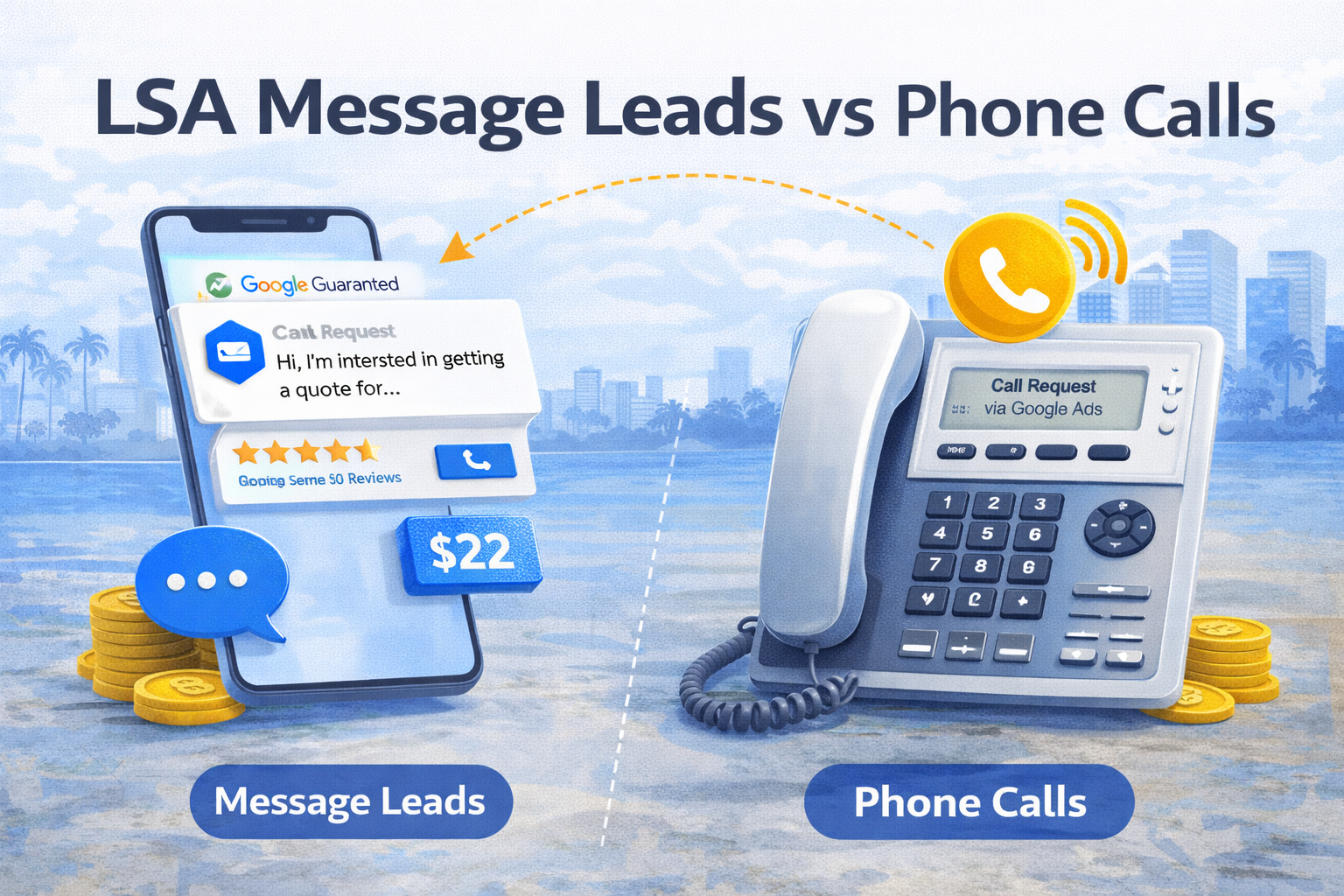
Google now charges you differently for message leads and phone call leads on Local Services Ads. Most contractors have no idea. The ones who figure this out are paying half the cost per lead on a chunk of their leads, while everyone else keeps overpaying.
Here's the part nobody talks about: message leads aren't just cheaper. For certain trades, they actually convert better than phone calls because the homeowner has already thought through what they need and typed it out. For other trades, they're a waste of time. The difference comes down to how you handle them.
Here's exactly how to tell which category you fall into, what the real numbers look like, and how to run both channels so your blended cost per lead drops 10-15% without spending a dollar more on ads.
In This Guide
- How LSA Message Leads Actually Work
- Message Leads Cost Roughly 50% Less Than Phone Calls
- Message Lead Quality vs. Phone Lead Quality
- Why Most Contractors Lose Message Leads
- How to Set Up and Optimize LSA Messaging
- Response Templates That Convert
- When to Disable Messaging (Yes, Sometimes You Should)
- The Phone + Message Hybrid Strategy
- FAQ
- The Bottom Line
1. How LSA Message Leads Actually Work
When a homeowner finds your business through Local Services Ads, they see two contact options: a "Call" button and a "Message" button. If they tap "Message," they type out what they need, hit send, and you get a notification through both the LSA app and email.
The message includes the homeowner's name, the service category they selected, and whatever they typed as a description. Some messages are detailed ("I need 1,200 sq ft of LVP installed in my living room and hallway, furniture needs to be moved"). Others are vague ("how much for flooring?"). Either way, you reply directly through the LSA dashboard or the app on your phone.
Here's what matters for your ranking: Google tracks your message response time and response rate the exact same way it tracks phone calls. If you miss calls, your ranking drops. If you ignore messages, your ranking drops. Same system, same consequences.
We get it, most contractors didn't even know messaging was enabled on their LSA profile. Some have had it running for months, racking up unread messages that are silently hurting their ranking. Check your settings right now. Open your LSA dashboard, go to Settings, and look at the Messaging toggle. If it's on and you've been ignoring it, you've been damaging your LSA position without realizing it.
Message Lead vs. Phone Call: The Lead Flow Side by Side
Message Lead Path
Homeowner searches on Google Sees your LSA listing at the top Taps "Message" button Types service request + description You get notification (app + email) Google tracks your response time You reply with template or custom message Push to phone call or schedule estimate Booked JobPhone Call Path
Homeowner searches on Google Sees your LSA listing at the top Taps "Call" button Phone rings on your end Google tracks if you answer Google tracks call duration Verbal conversation + quote discussion Schedule estimate or book on the call Booked Job2. Message Leads Cost Roughly 50% Less Than Phone Calls
This is the headline stat, and it's real. Google now separates message and phone lead costs in your LSA dashboard. This split started rolling out in 2025, and by early 2026 it's visible for most accounts.
Phone leads typically cost $25 to $85 depending on your industry and market. Message leads for the same industries run $12 to $45. Google prices them lower because it classifies message leads as slightly lower intent. The homeowner messaged instead of calling, so Google assumes they're less likely to book. Whether that assumption is accurate is debatable (we'll get to that). But the result is a cheaper lead for you.
Here's the math that matters. If 20% of your LSA leads come through messaging and those leads cost half as much as phone leads, your blended cost per lead drops roughly 10%. That's without changing your budget, without optimizing your profile, without doing anything except keeping messaging enabled and actually responding to the messages.
Work out what a lead should cost you in the free CPA calculator before judging the number you are getting.
For a contractor spending $2,000 per month on LSA with an average phone CPL of $50, adding message leads at $25 each drops the blended CPL to approximately $45. Over a year, that's $1,200 in savings going to the exact same number of leads. For more detail on how CPL varies by trade, see our full LSA cost breakdown.
Message Lead CPL vs. Phone Lead CPL by Industry (2026)
- HVAC
- $22 - $40$45 - $85
- Plumbing
- $20 - $35$40 - $75
- Electrical
- $18 - $32$35 - $70
- Roofing
- $25 - $50$50 - $100
- Pest Control
- $12 - $25$25 - $50
- Landscaping
- $10 - $20$20 - $40
- House Cleaning
- $8 - $18$15 - $35
- Painting
- $15 - $30$30 - $60
3. Message Lead Quality vs. Phone Lead Quality
This is where it gets interesting. Message leads have a reputation for being low quality. That's only half true, and the half that's true has nothing to do with the leads themselves.
Here's the real data breakdown:
- Message leads tend to be more specific. The homeowner typed out what they need. You often get details like square footage, service type, and timeline before you even respond. Phone leads give you whatever the homeowner remembers to say in a 90-second call.
- Phone leads carry more urgency. The homeowner wants help now. They picked up the phone because something broke, something leaked, or they're ready to move forward today. Message leads skew toward comparison shopping and planning.
- Message lead close rates average 18-25% vs. phone close rates of 25-35%. That 10-point gap sounds significant. It isn't once you control for response time.
- Message leads that get a response within 3 minutes close at 28-32%, nearly matching phone leads. The quality gap is mostly a response gap.
Read that last point again. The difference between a "bad" message lead and a good one is almost always how fast you replied. Under 3 minutes and message leads convert nearly as well as phone calls. Over 10 minutes and the homeowner has already messaged two other contractors.
Message Lead Booking Rate by Response Time
Faster responses close the gap between message and phone lead quality
- Under 1 min
- 32% close rate
- 1 - 3 min
- 28% close rate
- 3 - 10 min
- 20% close rate
- 10 - 30 min
- 12% close rate
- 30+ min
- 5% close rate
- No response
- 0%
4. Why Most Contractors Lose Message Leads
The brutal truth: most contractors ignore message leads or respond hours later. Then they complain that "message leads are garbage." The leads aren't the problem. Here's what is.
Mistake #1: Notifications turned off
You don't even know the message came in. Your phone buzzed once three hours ago and you were on a ladder. By the time you checked, the homeowner already booked with someone who replied in two minutes. Fix this first. Turn on push notifications for the Google LSA app and set up email alerts as a backup.
Mistake #2: No template responses
Every message you send requires typing from scratch on a job site. Your thumbs are covered in PVC cement. Your response takes 15 minutes to craft and reads like a drunk text. Templates solve this. We cover the exact templates in Section 6.
Mistake #3: Treating messages like emails
You check messages once a day, maybe after dinner, maybe the next morning. That's backwards. Message leads have a 3-minute shelf life for maximum close rate. After 10 minutes, you've lost half your potential bookings. Treat messages like phone calls, not like emails.
Mistake #4: Generic replies
"Thanks for reaching out, we'll get back to you." That's not a reply. That's a placeholder that tells the homeowner you're too busy for them. Every message response needs to include a specific next step: a time for a call, a date for an estimate, or a direct answer to their question.
Mistake #5: No follow-up system
You send one reply. The homeowner doesn't respond within an hour. You move on. Meanwhile, the homeowner was driving, or cooking dinner, or putting their kids to bed. They planned to reply later. By then, they forgot about you. One follow-up message 4 hours later recovers 15-20% of leads that would otherwise go cold.
We get it, you're crawling under a house or up on a roof. You can't draft a thoughtful reply right then. That's exactly why templates exist. Two taps and a send button is all it takes when you've built the system ahead of time.
5. How to Set Up and Optimize LSA Messaging
Setting up messaging takes less than 10 minutes. Doing it right so it actually generates booked jobs takes a few more decisions. Here's the step-by-step playbook.
Step 1: Check if messaging is enabled
Open your LSA dashboard. Go to Settings, then look for the Messaging toggle. If it's off and you want message leads, turn it on. If it's on and you've been ignoring messages, either commit to responding fast or turn it off. A disabled channel is better than an ignored one.
Step 2: Turn on push notifications
Open the Google LSA app on your phone. Go to notification settings and make sure message notifications are enabled. Also enable email notifications as a backup. You need at least two notification channels so a message never sits unread for more than a few minutes.
Step 3: Set up an auto-reply
Configure an automatic first response that buys you time. Something like: "Thanks for reaching out! We'll respond within 5 minutes with availability." This tells the homeowner you're active and engaged, even if you can't type a full reply that second. It also resets the clock on their expectations.
Step 4: Create 3-5 response templates
Build templates for your most common message types. We provide four ready-to-use templates in the next section. Save them in your phone's text replacement shortcuts or in a notes app for quick copy-paste access.
Step 5: Designate who monitors messages
Decide right now: who answers messages? If you're a solo operator, it's you. If you have an office manager, it's them during business hours. If you use an answering service, ask if they handle LSA messaging (most don't yet, but some do). The point is to assign ownership. When nobody owns it, nobody does it.
Step 6: Set response time goals
Target under 3 minutes during business hours. Under 5 minutes is acceptable. Over 10 minutes and you're leaving money on the table. Track your average response time weekly in the LSA dashboard and treat it as seriously as you treat your phone answer rate.
6. Response Templates That Convert
These are four copy-paste templates you can start using today. Each one is built for a specific scenario and includes the three elements that drive bookings: acknowledgment of their need, a specific next step, and a personal sign-off.
Save these in your phone. Memorize the structure. When a message notification hits, open the app, pick the right template, swap in the details, and send. Total time: 30 seconds.
First Response (within 2 minutes)
"Hi [Name], thanks for reaching out. We handle [service type] in your area. When works best for a quick call to go over the details? I'm available [today/tomorrow] between [times]. - [Your name], [Company]"
Copy this templateQuote Request Response
"Hi [Name], I'd love to help with your [service]. To give you an accurate estimate, I'd need to see the [job specifics]. I can come by for a free estimate as early as [date/time]. Does that work? - [Your name]"
Copy this templateEmergency / Urgent Job
"Hi [Name], we can get someone to you [today/this morning]. Let me confirm your address and the best time. Are you available for a quick 2-minute call at [number]? - [Your name]"
Copy this templateFollow-Up (4 hours, no reply)
"Hi [Name], just following up on your message about [service]. We still have availability this week. Want me to schedule a time to come take a look? - [Your name]"
Copy this templateNotice the pattern in every template: acknowledge their need, offer a specific next step (a time, a date, a call), and sign with your name. No "we'll get back to you" vagueness. No "thanks for your interest" filler. Every message moves toward a booked job or it's wasted effort.
Why pushing to a phone call works
Message leads close at the highest rate when the first message response leads to a phone conversation or an in-person estimate. Think of the message as the door opener, not the closer. Your goal isn't to quote over text. Your goal is to get them on a call or get your truck to their driveway. The message just gets you there faster and cheaper than waiting for the phone to ring.
7. When to Disable Messaging (Yes, Sometimes You Should)
Not every trade benefits from message leads. Keeping messaging enabled when it doesn't fit your business is worse than turning it off, because unanswered messages actively hurt your LSA ranking. Here's when to disable it and when to keep it on.
Disable messaging when:
- You run an emergency-only trade. Water damage restoration, emergency locksmith, 24/7 plumbing. Homeowners in emergencies call. They don't type a message and wait three minutes for a reply while their basement floods. Message leads for these trades tend to be price shoppers looking for a quote next week, not someone who needs you right now.
- You have zero capacity to respond within 5 minutes. You're a solo operator, you're on a roof all day, and nobody else checks your messages. Unanswered messages hurt your ranking the same way missed calls do. A disabled message channel is better than an ignored one.
- Your close rate on message leads stays below 10% after 90 days of trying. You've set up templates, you're responding fast, and message leads still aren't converting in your market. Some trades in some markets just don't convert via message. That's fine. Redirect that attention to phone leads and stop paying for a channel that doesn't work.
Keep messaging enabled when:
- You do non-emergency residential services. House cleaning, painting, landscaping, pest control, handyman, fencing, flooring. Homeowners comparison-shop these services. They message three companies, see who responds first, and book that one. Your speed is your advantage.
- You have office staff who can respond during business hours. An office manager or dispatcher who can reply within 3 minutes makes message leads print money. The overhead of monitoring messages is near zero when someone's already sitting at a desk.
- Your trade involves estimates or quotes. Roofing, fencing, flooring, painting. Message leads are ideal for scheduling estimate appointments because the homeowner has already described the job in writing. You walk in knowing what they need.
Should You Enable LSA Messaging for Your Trade?
Enable Messaging
- ✓ Non-emergency residential services
- ✓ You have office staff to monitor messages
- ✓ Your trade involves estimates or quotes
- ✓ You can respond within 3-5 minutes
- ✓ You want to lower your blended CPL
- ✓ Homeowners in your trade comparison-shop
- ✓ You have response templates ready
Disable Messaging
- ✗ Emergency-only trades (water damage, lockout)
- ✗ Solo operator with no message monitoring
- ✗ Close rate under 10% after 90-day test
- ✗ Average response time over 15 minutes
- ✗ You can't commit to same-day responses
- ✗ Your market shows no message lead volume
- ✗ Messages are hurting your ranking score
8. The Phone + Message Hybrid Strategy
The optimal approach isn't choosing one channel over the other. It's running both and handling each correctly. The contractors who do this pay 10-15% less per booked job than the ones who pretend messaging doesn't exist.
Here's the framework:
- Keep both channels open. Phone leads for urgency. Message leads for volume and lower cost. Together they maximize your coverage across every type of homeowner search.
- Phone leads: answer within 2 rings. Book on the first call when possible. If you miss the call, call back within 60 seconds. Missed calls are the #1 ranking killer. For more on this, see our no-calls troubleshooting guide.
- Message leads: respond within 3 minutes with a template. Then push toward a phone call or schedule an estimate visit. The message opens the door. The call or visit closes the deal.
- Track close rates for each channel separately. Your CRM or job management software should tag whether the lead came from a phone call or a message. If you can't track this, at minimum keep a simple spreadsheet. You need to know which channel is actually booking jobs.
- Set a 90-day evaluation window. If message close rates stay below 15% after 90 days of fast responses and template usage, consider disabling messaging for your trade. Not every market responds to messages the same way.
- Monthly review: compare message CPL, phone CPL, and blended CPL. Pull these numbers from your LSA dashboard on the first of every month. Track the trend. If your blended CPL is dropping, the hybrid strategy is working.
We get it, tracking two lead channels feels like more work. It is. But the contractors who do it pay 10-15% less per booked job than the ones who don't. That's $2,000 to $5,000 per year in savings for a company spending $1,500 to $3,000 per month on LSA.
Phone Leads vs. Message Leads: The Complete Scorecard
| Factor | Phone Leads | Message Leads |
|---|---|---|
| Average CPL | $25 - $85 | $12 - $45 |
| Typical Close Rate | 25 - 35% | 18 - 25% (28 - 32% with fast response) |
| Urgency Level | High | Medium |
| Lead Detail | Verbal, varies by caller | Written, usually specific |
| Best Response Time | Under 30 seconds | Under 3 minutes |
| Ideal For | Emergency, same-day jobs | Estimates, quotes, scheduling |
| Ranking Impact | High (missed calls hurt) | High (slow responses hurt) |
| Setup Effort | Phone line + forwarding | Templates + notifications |
See the real numbers for your trade
Plug in your industry, budget, and close rate. Our calculator shows your projected leads, cost per booked job, and ROAS.
The Bottom Line
Message leads aren't a nuisance to ignore. They're a cheaper lead channel hiding in your LSA dashboard. The contractors who set up templates, respond fast, and track both channels separately end up paying 10-15% less per booked job than the ones who pretend messaging doesn't exist.
The playbook is straightforward. Turn on notifications. Build four templates. Respond within 3 minutes. Push the conversation toward a phone call or estimate. Track your close rates on each channel. Review the numbers monthly.
If your trade doesn't convert via message after 90 days of doing it right, turn messaging off. No harm done. But if you never test it, you'll never know whether you're leaving cheaper leads on the table. And in a market where every dollar of ad spend matters, that's a gap you can't afford to ignore.
LSA Message vs Phone Lead FAQs
Do LSA message leads count toward my ranking?
Yes. Google tracks your message response time and response rate just like phone calls. Slow or missed message responses hurt your ranking the same way missed calls do. If you have messaging enabled but aren't responding, you're actively damaging your LSA position. Either commit to fast responses or disable the channel.
How much cheaper are message leads than phone calls on LSA?
Message leads typically cost 40-55% less than phone leads in the same market and industry. For example, an HVAC phone lead that costs $65 might have a message lead equivalent at $30 to $35. The exact savings depend on your trade, market competition, and time of year.
Can I disable messaging on my LSA profile?
Yes. Go to your LSA dashboard, click Settings, and toggle Messaging off. Keep in mind that disabling messaging means you lose access to the cheaper lead channel entirely. Only disable it if you genuinely can't respond within 5 minutes or your trade doesn't convert via message after a 90-day test.
What is a good response time for LSA message leads?
Under 3 minutes. Message leads that get a response within 3 minutes close at 28-32%, nearly matching phone call booking rates. After 10 minutes, close rates drop below 12%. After 30 minutes, you're recovering less than 5% of those leads. Speed is the single biggest factor in message lead quality.
Should I push message leads to a phone call?
In most cases, yes. Use your initial message reply to answer their question briefly and suggest a quick phone call or estimate visit. This converts the cheaper message lead into a higher-quality conversation. The message opens the door. The call or in-person visit closes the deal.
Do message leads work for emergency services?
Rarely. Homeowners with emergencies like a burst pipe, no AC in July, or a lockout almost always call. Message leads for emergency trades tend to be lower-intent price shoppers looking for a quote next week. If your business is primarily emergency response, consider disabling messaging and focusing 100% on phone lead performance.
Get Your Free LSA Performance Review
Find out if you're leaving money on the table with your message lead strategy. We'll review your LSA setup, benchmark your costs, and show you exactly where to optimize.
Request Your Free ReviewThis article is for educational purposes only. CPL ranges and close rate data are based on aggregated industry observations and internal benchmarks as of March 2026. Your results will vary based on market, trade, competition, and response time. Blue Grid Media is not affiliated with Google.
More on Google Local Services Ads
Part of the BGM Local Services Ads library. Pair this with the master pillar and the deep-dive guides: